Best Japanese Learning Tools 2025 Award Show 🏆


Welcome to the award show everyone! Hosted by your favourite bee... Bee! 🥳
I wanted to summarise the best tools etc out there in 2025, and what better way then to put on a fake award show!
And like all true award shows and Christmas themed events, let's get into the spirit of giving.
Best Overall
This category features 3 tools.
If I could only pick 3 to learn Japanese with, it would be these 3.
The best overall winner of the 2025 Japanese Learning Awards is....
🏆Yomitan
Yomitan is the go-to dictionary application.
It works in all browsers (Chrome, Firefox, Edge) and even on mobile browsers.
 Yomitan Authors
You install it easily and just select your language and some dictionaries
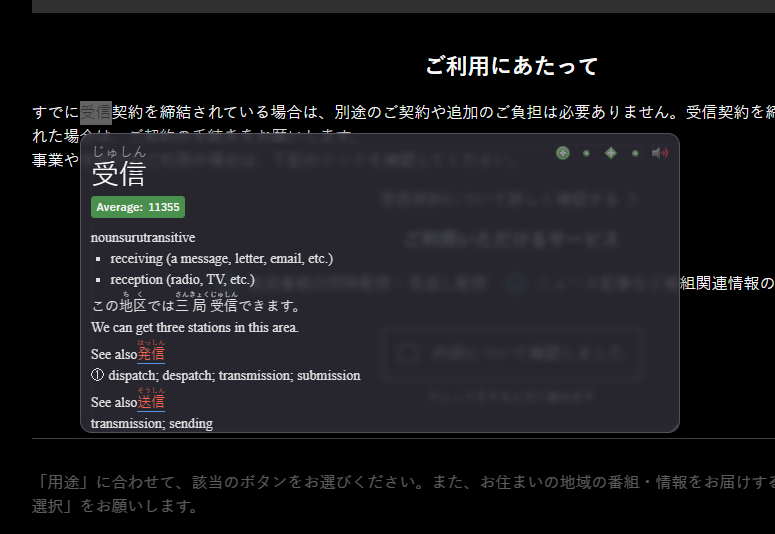
It supports:
- Many dictionaries across many languages
- Anki
- Native audio
 Yomitan Authors
Even if you don't use any of the fancy features, having a dictionary you can use at the click of a button is useful.
Anki
If you use Yomitan, you must also use Anki too.
Anki is the premier flashcard software.
You see a word you don't know, and create a flashcard for it in Anki.
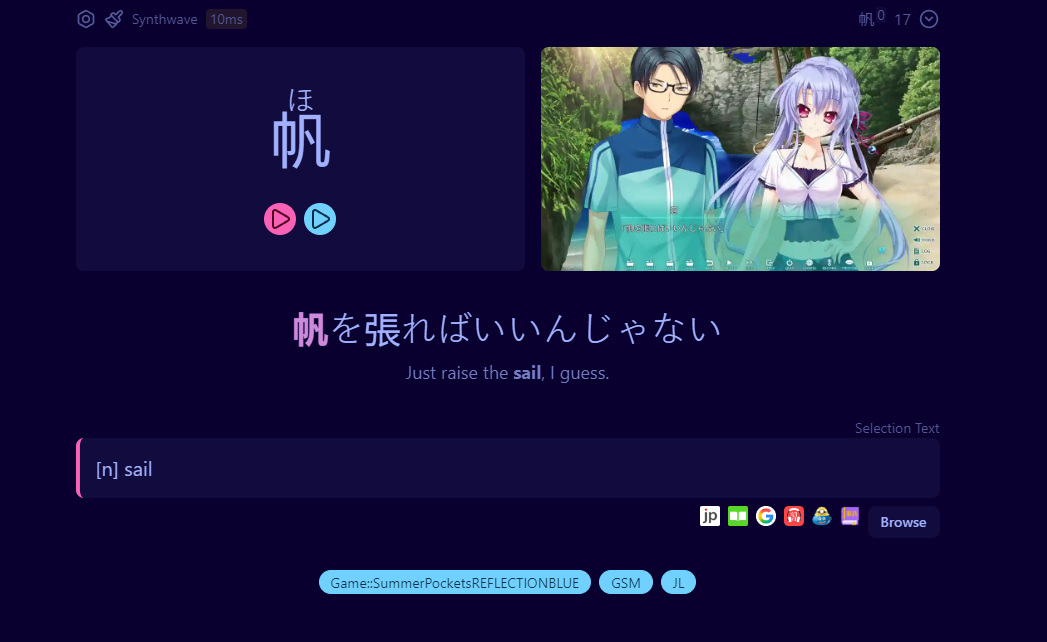
Anki solves the issue of forgetting, mostly. You will still forget things, but significantly less.


GSM
https://github.com/bpwhelan/GameSentenceMiner
Game Sentence Miner (GSM) is an all-in-one toolkit to turn any visual media into Anki flashcards.
1. Look up words natively in game. 2. Click Add to Anki. 3. Anki card automatically made in the background with game audio + a gif of the game
Use the overlay to directly look words up (using Yomitan) in your game, anime, or manga without needing to go to another website to look it up.
Anki card created with GSM
Create flashcards in one click with the real audio used, and a gif of what happened on screen.
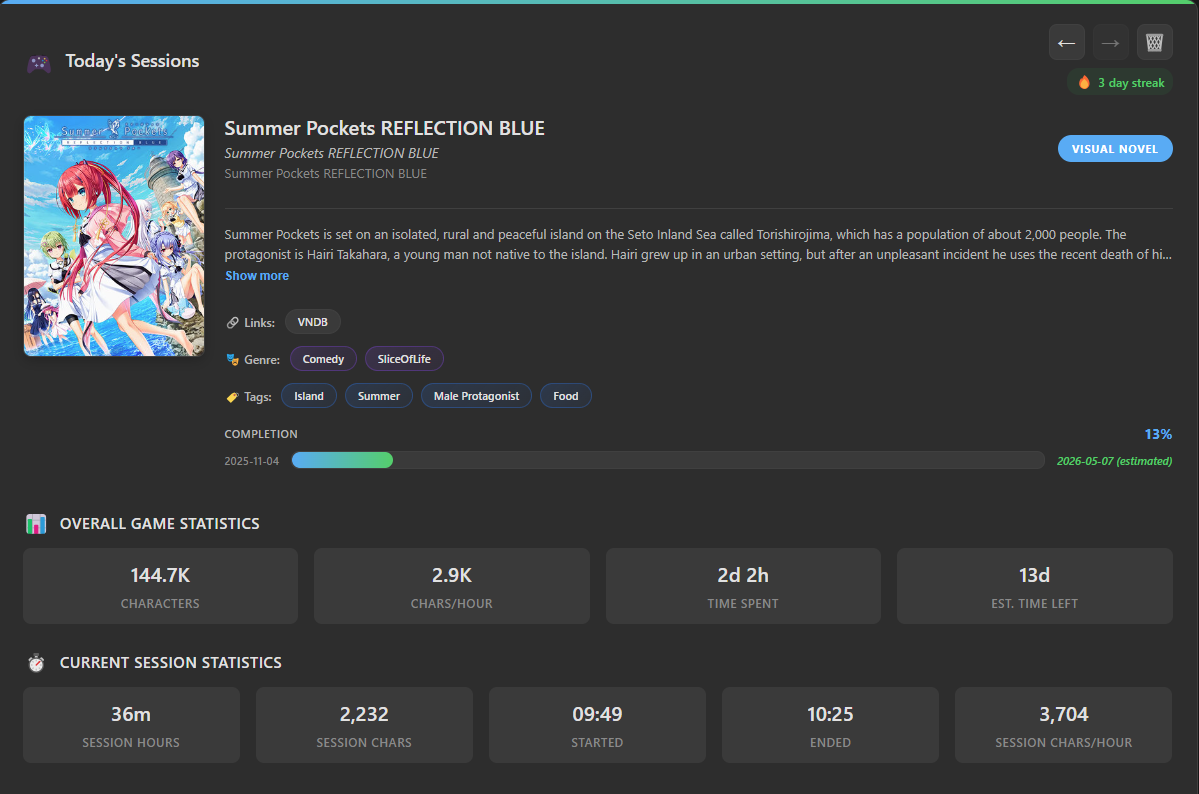
Analyse your statistics to help you learn to read better, over 30+ graphs and extensive goal planning.
Best of all? It's 100% free, works offline, and works for many other languages – not just Japanese!
GSM can take in text from anywhere, create statistics based on it and enhance your Anki cards with gifs + audio along with an overlay dictionary.
For this reason you'll see it come up a lot... It's a well loved tool, and for good reason!
GSM's main problem is the barrier to entry can be high, it's got a lot of features and many settings. Thankfully the author has created many, many blog posts and YouTube videos on how to use it.
Best Phone Apps
🏆Renshuu - Overall Winner
Renshuu wins the best app of 2025!
It's like Duolingo but better in every way.
It can work out your level and adjust the difficulty of words or sentences
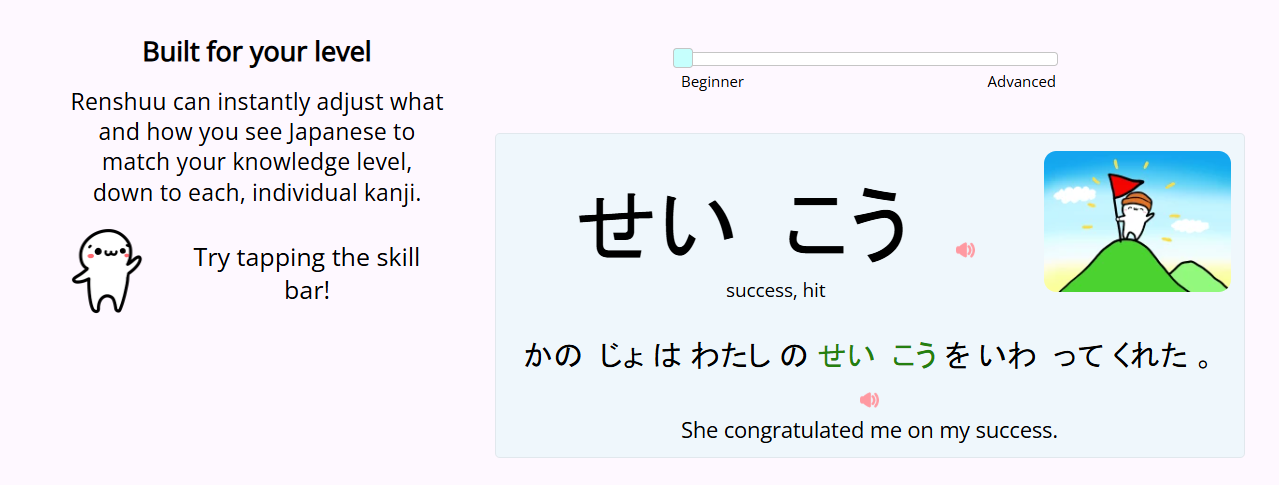
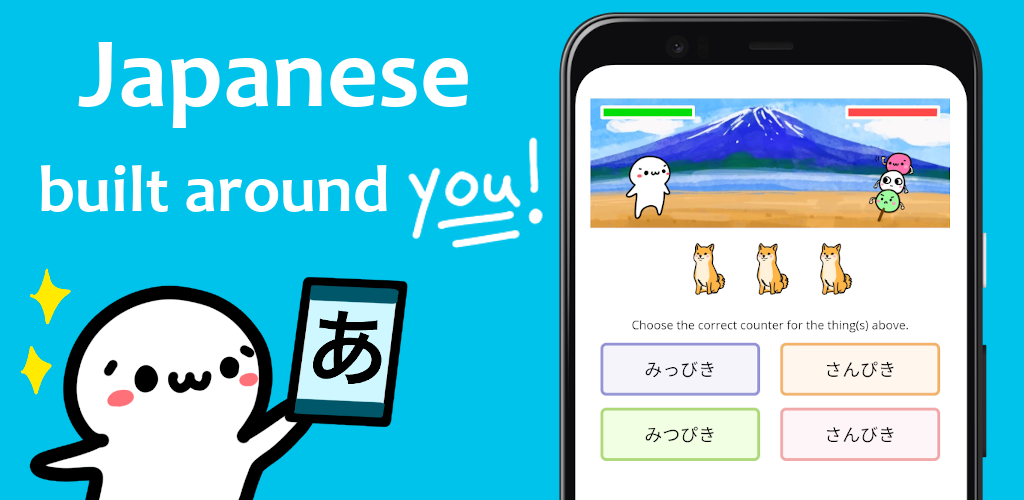
It gives you varied practice. Writing kanji, flipping flashcards, and fun games.
If you're looking for an easy app to replace the Green Owl™️ but actually be somewhat effective, this is it!

Best Android Apps
Let's split this up into two, IOS and Android.
🏆Jidoujisho - Overall Android Winner
 arianneorpilla
This is an everything-in-one kinda app.
- Supports Ankidroid
- Dictionary lookups similar to Yomitan
- Watch videos or listen to audio, and make flashcards from them
- Read books and make flashcards from them
- Read Manga!
- Play video games, visual novels etc.
- Instantly look up the lyrics of the song you're listening to, and make flashcards
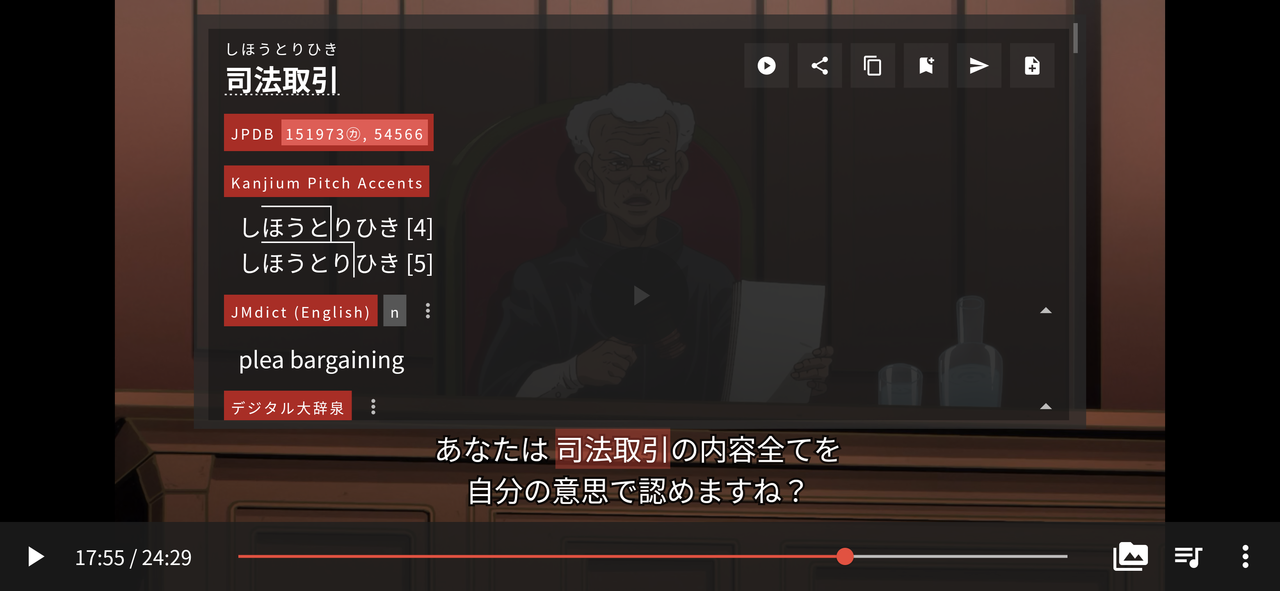
If you do not have access to a computer, this is perhaps the best app to do everything on Android.
But! It does require some time to setup and learn how it all works.
Poe
Poe is Yomitan for Android

It supports Anki, native audio and pitch accent.
I wrote more about this here:
 Autumn Skerritt
iOS
Now let's look at the options on IOS, albeit limited options.
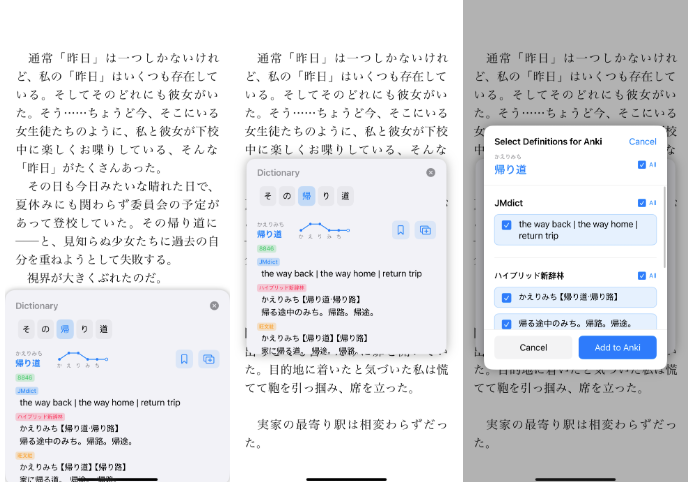
🏆Manabi Reader - Overall IOS Winner


Manabi Reader is a way to read on IOS, similar to Jidoujisho but with less features. Not their fault, mostly IOS has a lot of walls.
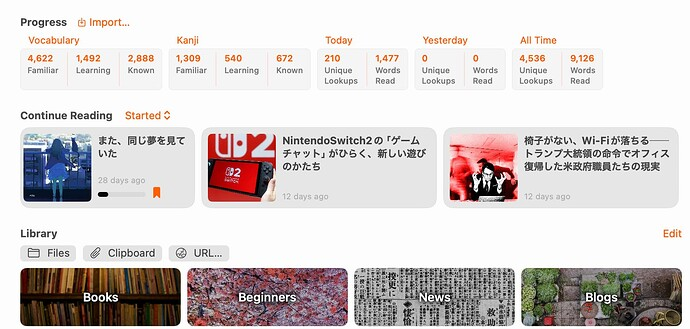
You can look words up in dictionaries and send things to Anki.

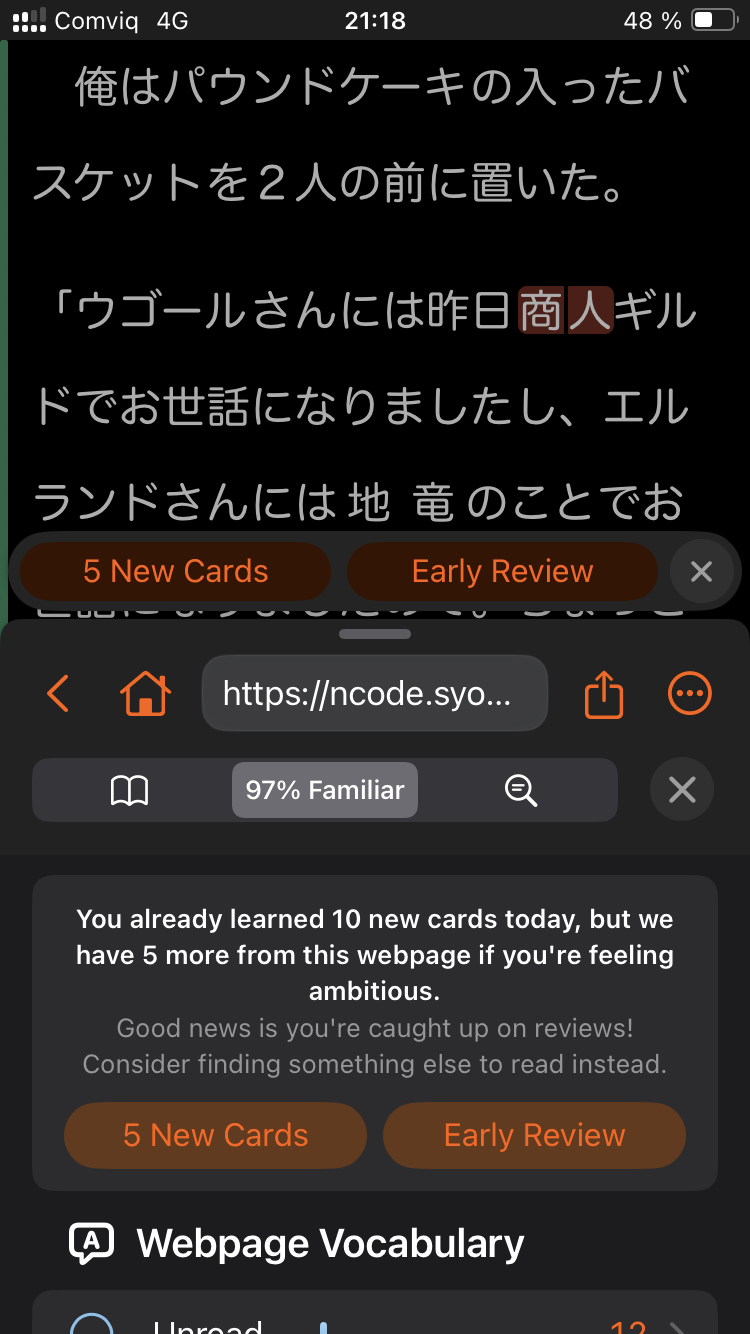
See breakdown of sentences, how many words in a sentence do you know?
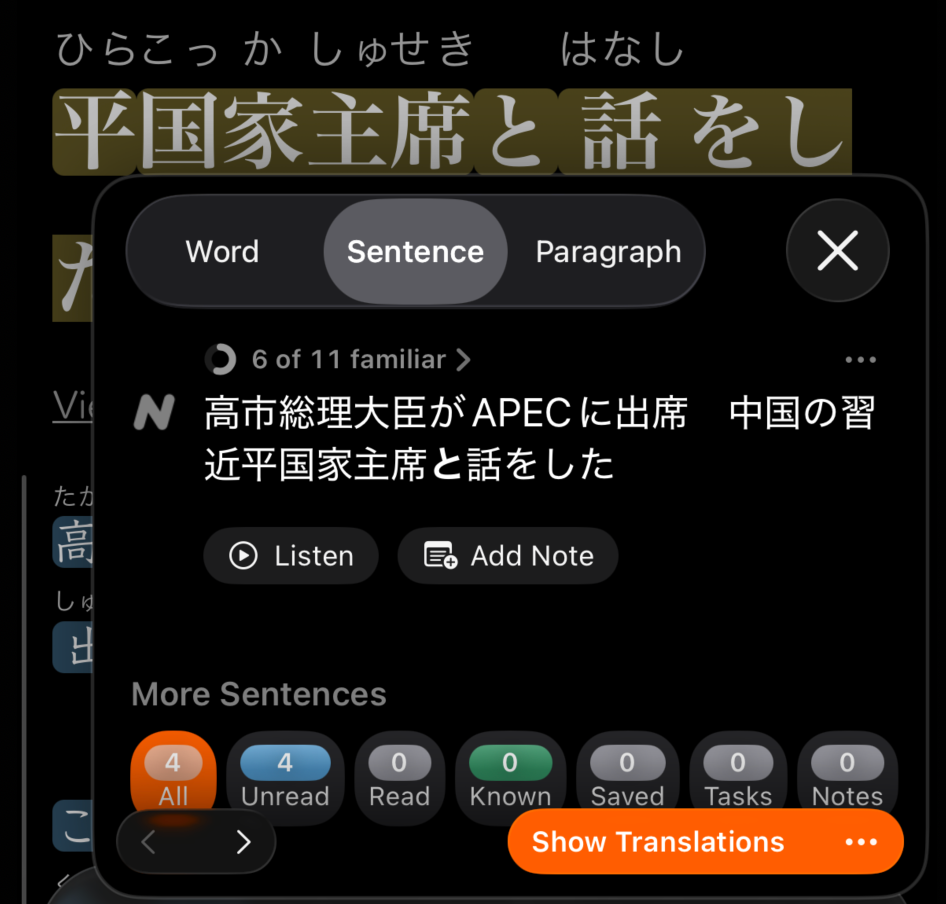
You can read books and webpages and get full comprehension statistics about that page.
You can also look up words using OCR or by pasting the text.
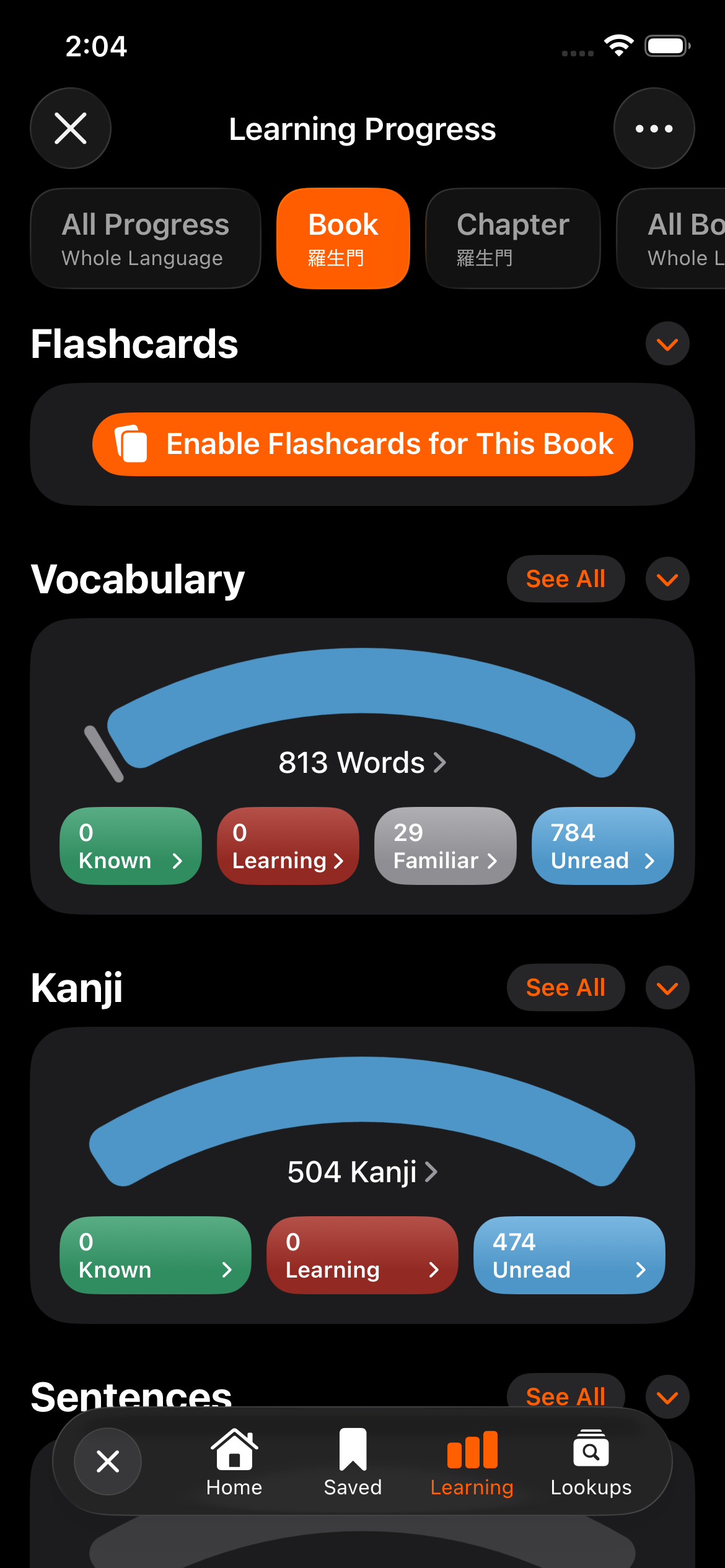
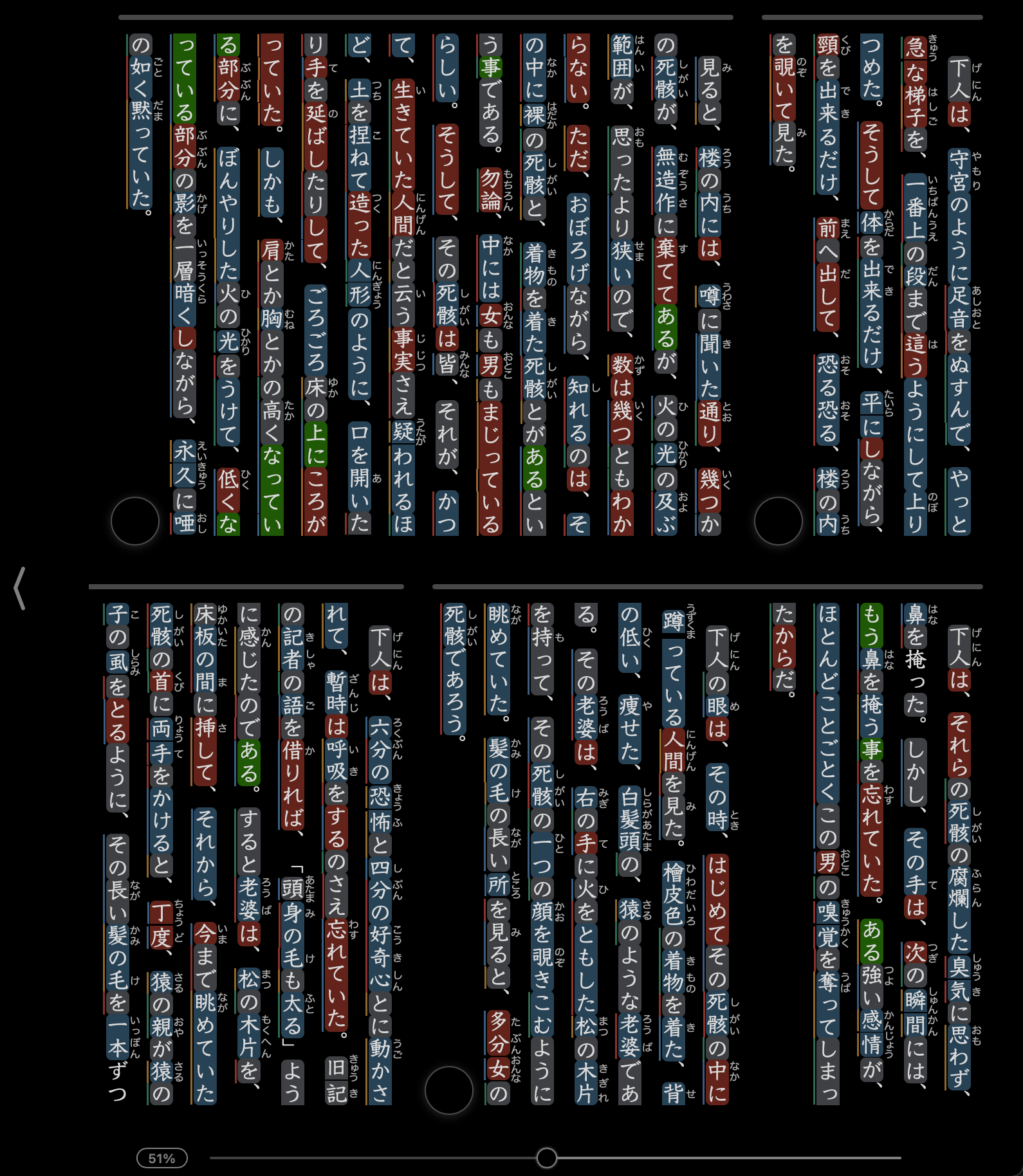
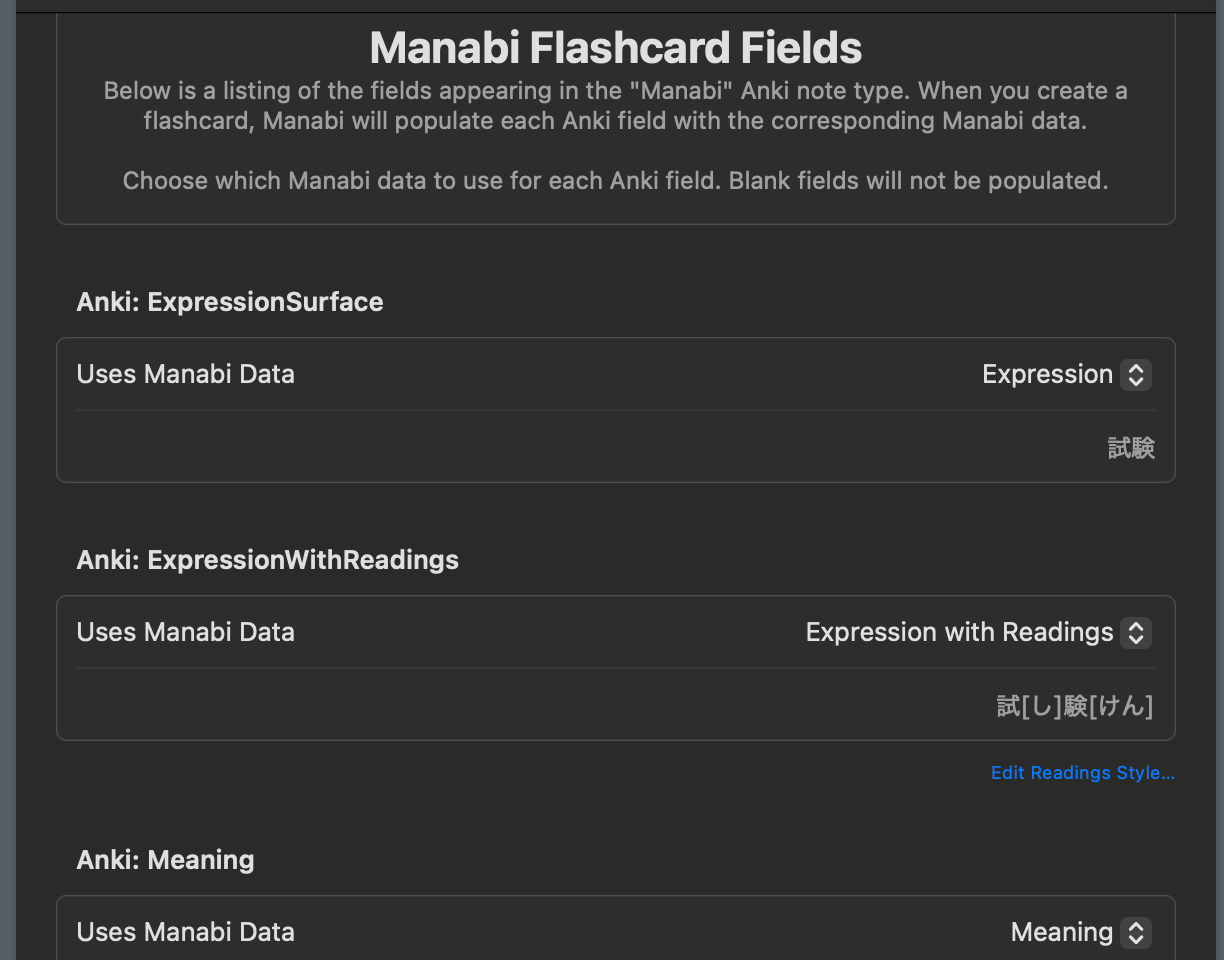
The author is working on a bunch of new features as they told me:
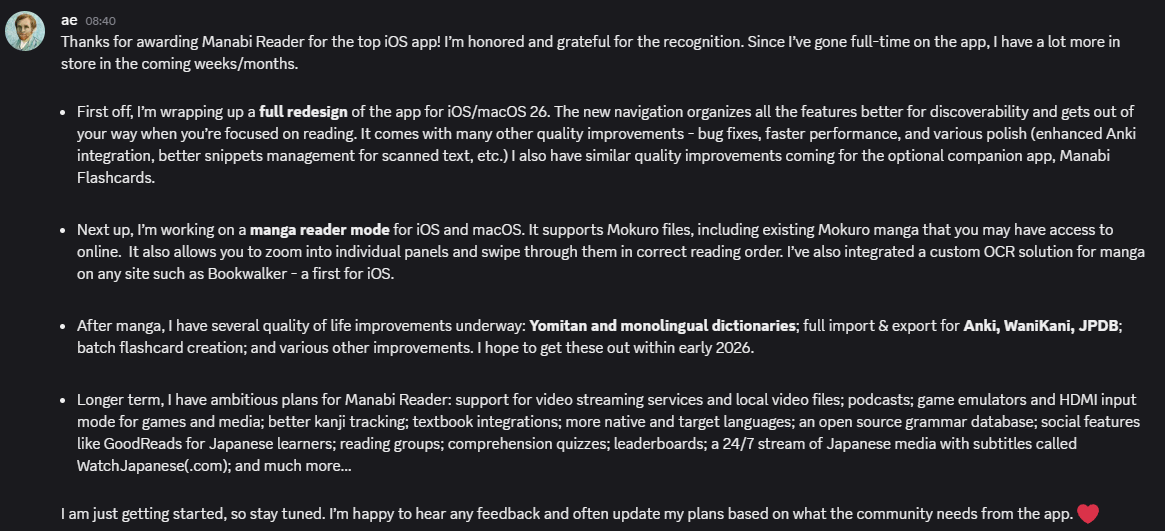
Here are some exclusive behind the scenes screenshots of the new Manabi Reader, coming soon!

Shiori Reader
 Clint Russell Graviet Jr
This is another "look things up and make anki cards" app, but this time it focusses on reading books.
Best Anki Decks
Since we've talked so much about Anki, one of the big questions people have who begun using it is "what decks do I use?"
🏆Kaishi - Overall Best Anki Deck
 donkuri
This is the definitive Anki deck for people just getting into learning Japanese with Anki.
The idea is that this teaches the most common words found in media, not necessarily the words you'll come across ordering food in Japan.
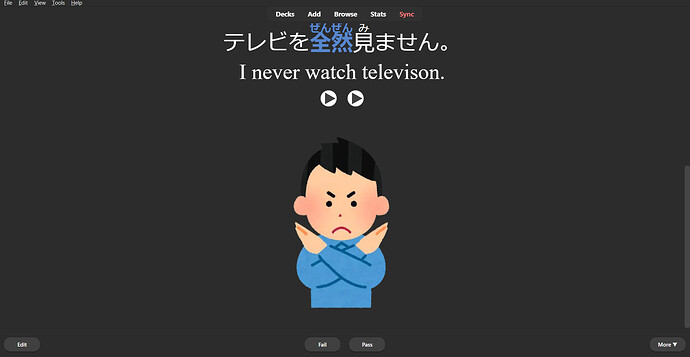
Once you finish this deck you then know enough Japanese to read books / immerse. You will still struggle, but it won't be as bad as starting from 0.
Japanese Proper Nouns
Do you have problems reading city names? What about names of people?
The proper nouns Anki deck is designed to teach you all the important proper nouns you'll encounter, and then pretty much every proper noun ever.
 friedrich-de
Best Anki Notetypes
"okay bee, I finished Kaishi. I want to use Yomitan to make my own Anki deck but it wants a note type... what do I use?"
I hear you say! probably....
🏆Kiku


Kiku came out swinging towards the end of 2025 as the go to Anki note type.
Other note types were static, but Kiku harnessed the power of Javascript in Anki.
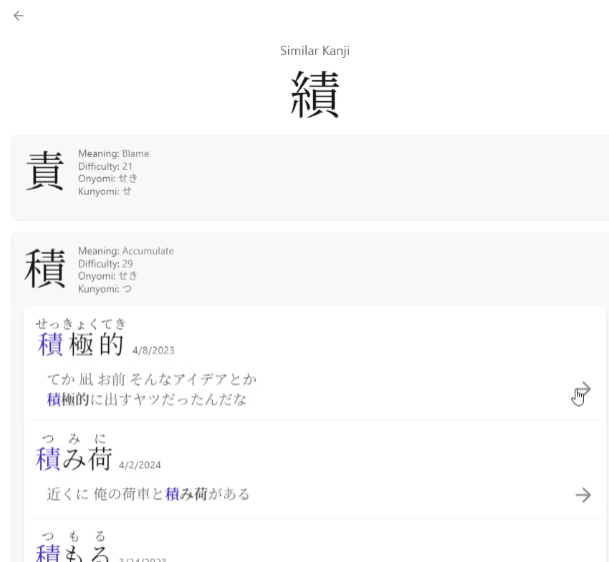
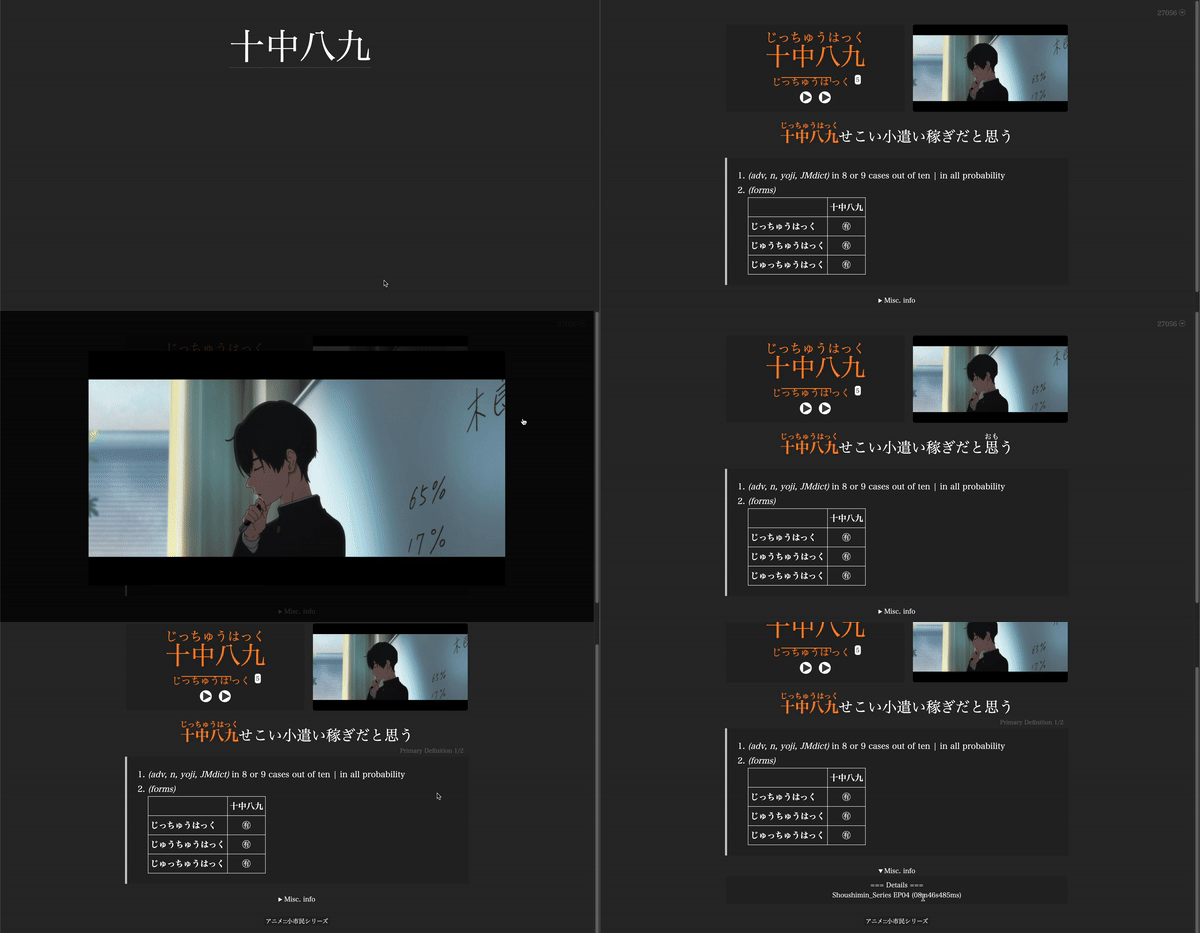
View similar Kanji, and view other flashcards that you made that use that kanji!
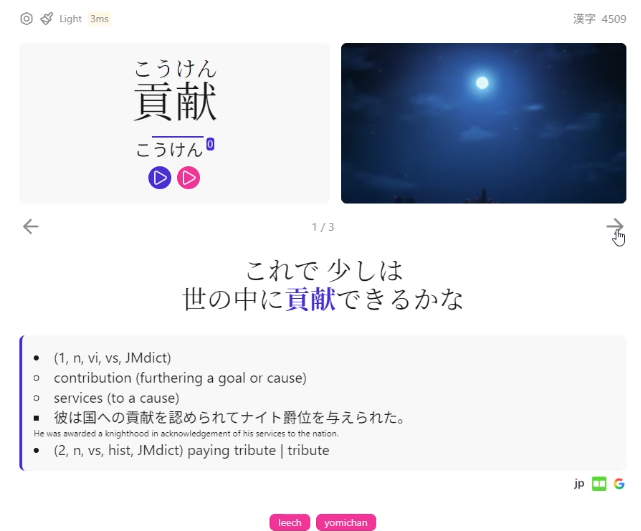
Sometimes you come across a word used in a really nice context, but you already have a flashcard for it!
You want to make another flashcard because you love this context, but it's just not possible without duplicating them or deleting your old card 🫠
Kiku solves this by allowing you to have multiple contexts in one card.
Most Anki card themes come in either light mode or dark mode.
Kiku has over 35 themes.
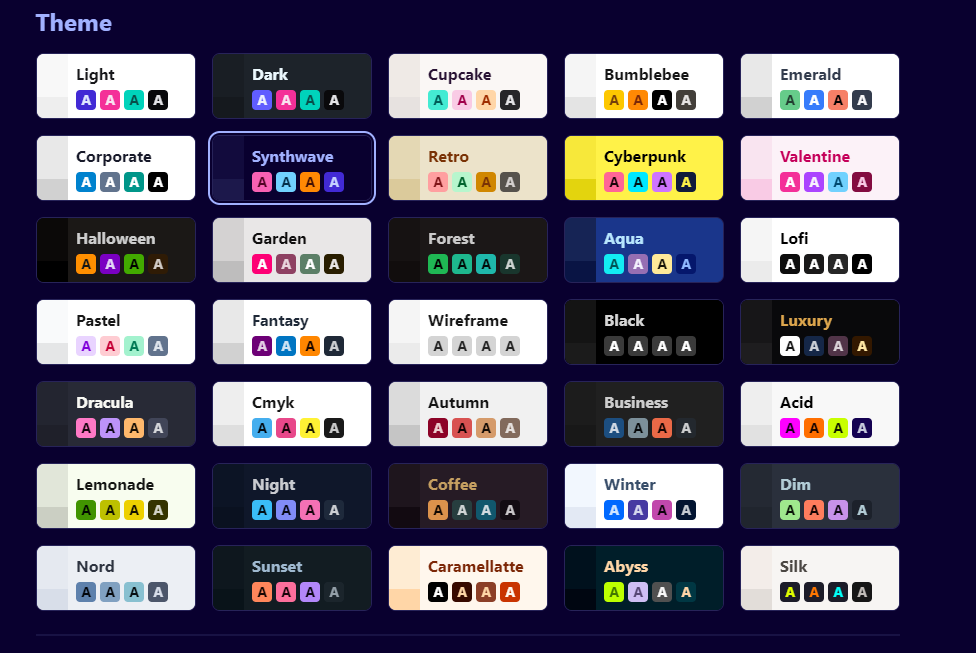
Kiku also has a settings page and a plugins system to really customise it for yourself.
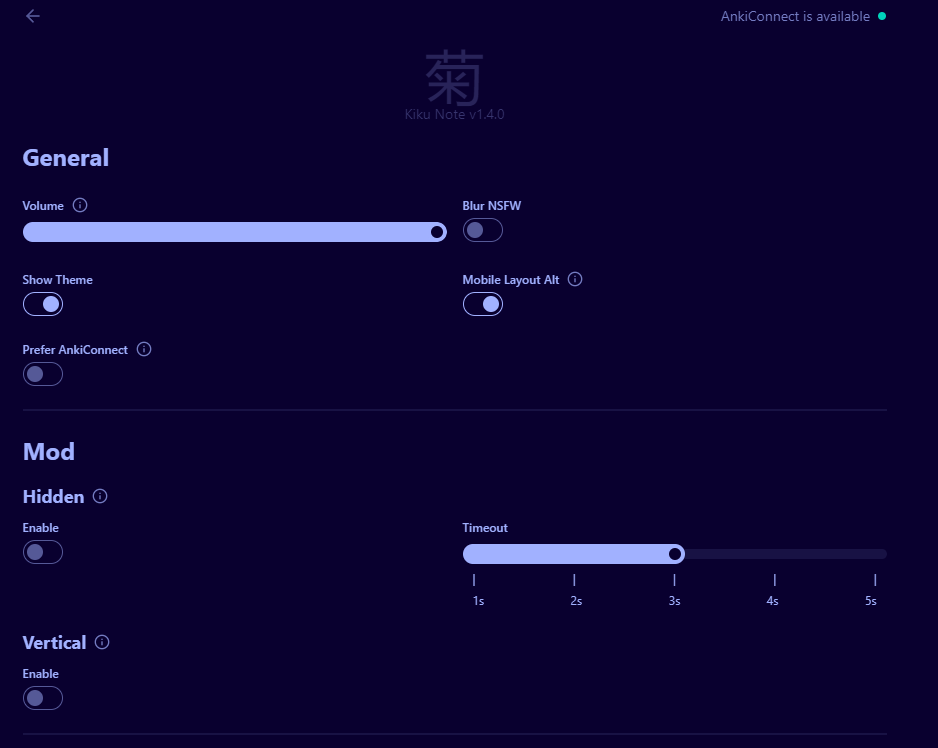
Here's a bullet pointed list of my favourite features:
- Fade out the front of the card after 3 seconds, encouraging you to answer faster.
- Blur images which are tagged NSFW
- Only blur them between 9 - 5pm workdays... In case you want to see said images when you're at home :)
- Display extra fields, such as SentenceTranslation.
- Randomise the font, so you learn the word in any font not just the main one you use.
- Add external links to your cards to easily see the card in Jisho, Nadeshiko etc.
- Hover over Kanji in your cards and see it broken down.
Lapis
 donkuri
Lapis is made by the same person who made Kaishi.
It's very similar to Kiku but without all the fancy features (Kiku is based on Lapis).
If you want a less Javascript heavy card, this is great!
Best Anki Addons
Now you use Anki, another common question people have is:
What Anki addons can I use to maximise it?

🏆Priority reorder
When you make Anki cards, they kinda go into a semi random order.
Not every word in Japanese is equally important.
Migaku, who ran an analysis on Netflix found these statistics.
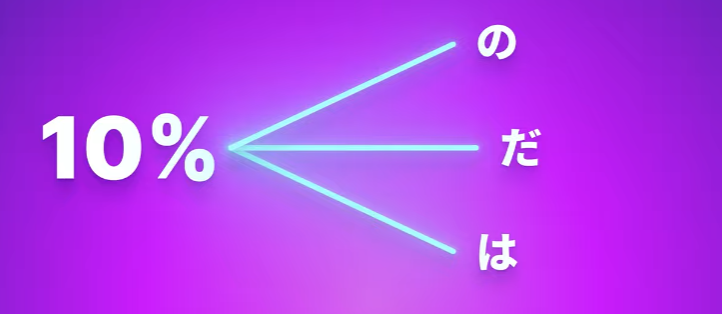
If you select a word at random, there is a 10% chance that word is one of these three:
50% chance it will be one of 45 words:
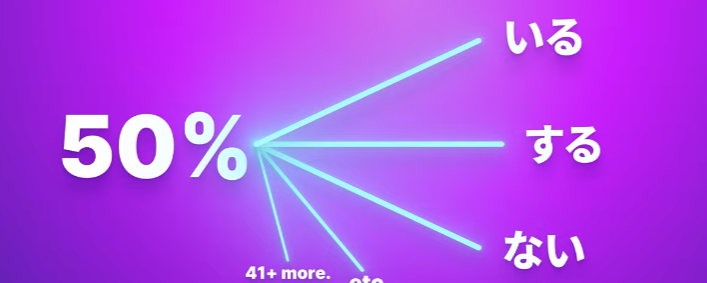
Words are repeated, often. Just learning the top 1500 words or so means you can understand 80% of all words in a show.
Therefore it makes sense to learn your Anki cards in the order of most frequent first.
Priority Reorder does this.
 Autumn Skerritt
But not all media is equal. One Piece has a lot of pirate talk, but you won't find that in other media.
Wouldn't it be cool to learn the most frequent words in One Piece if your goal is to watch it?
Priority reorder does that.
Finally, you have a short term memory. Flashcards you made today will stick better than flashcards made 50 days ago.
Wouldn't it be cool to also prioritise recently made flashcards that appear frequently in One Piece?
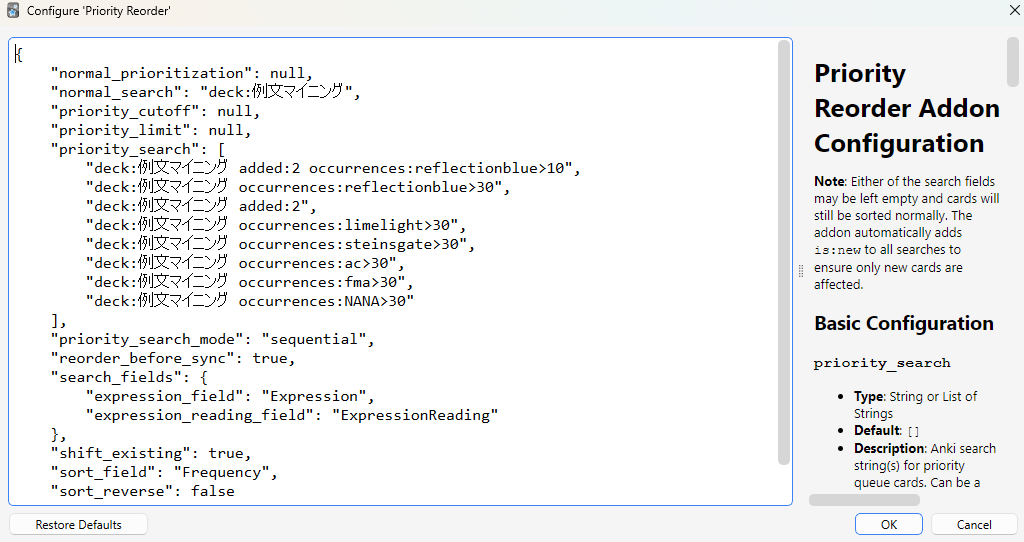
Priority Reorder does this!
Wouldn't it be cool to mine words that have a high frequency?
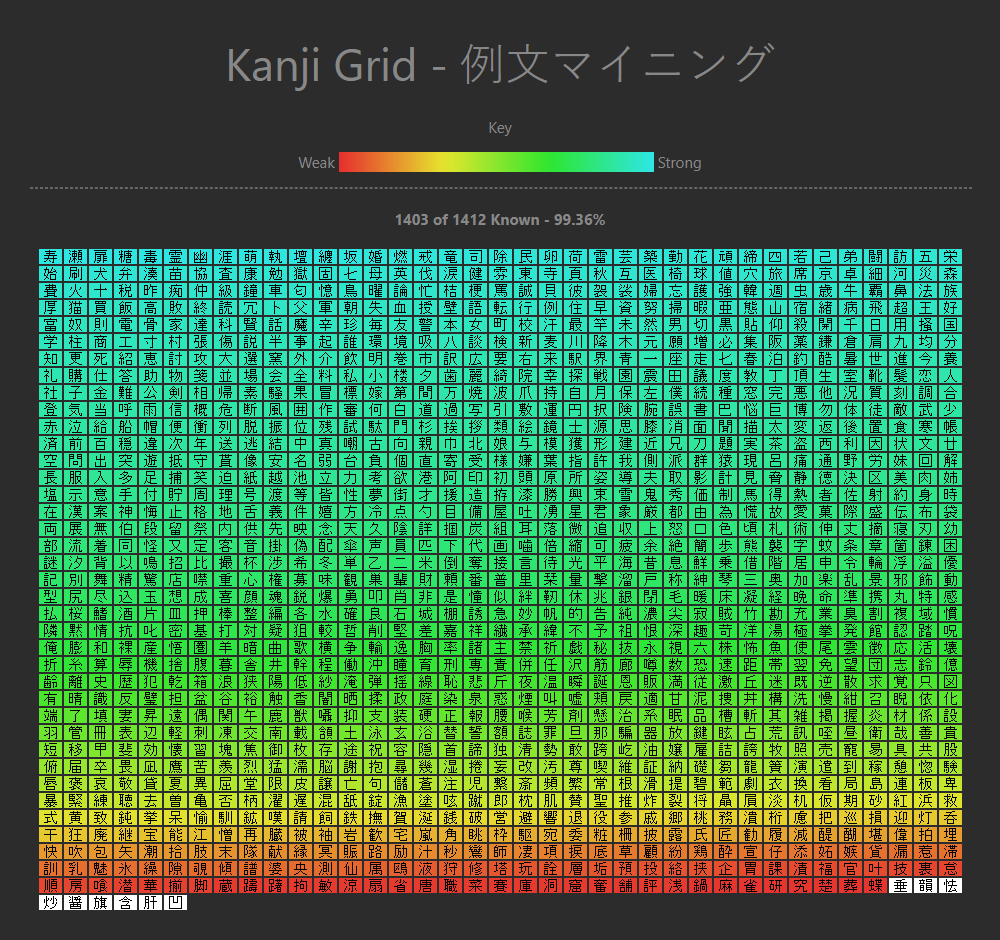
Kanji Grid
Looking to take the JLPT or similar and wondering "god, do I really know all the kanji in that exam?"
Or wanting to just see how you progress in terms of Kanji?
The Kanji Grid addon is for you!
https://ankiweb.net/shared/info/1610304449
Local Audio Server
This is an addon that works with Yomitan or similar tools.
It lets you listen to native audio in Yomitan, and even add that to your Anki cards.
 yomidevs
It takes a bit to set up, but once you do you don't have to mess with it. You can now have native audio on all of your Anki cards!
Best paid solution
This is all too much setup! I wish there was some sort of company I could pay to do this all for me
Not to worry, there is!
🏆Migaku
Migaku is an all-in-one solution.

They aim to do everything mentioned here already, albeit imperfectly and for a price.

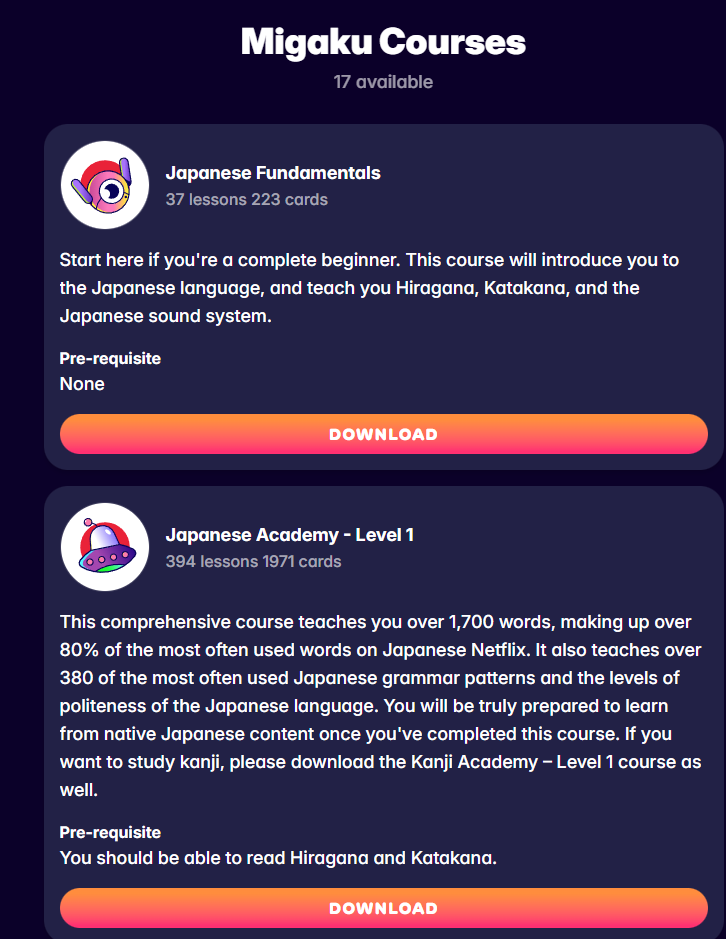
They have courses which teach you the top 1500 words, Kanji and grammar designed to help you immerse as soon as possible similar to Kaishi.
They have their own SRS alternative to Anki, so you don't need addons etc to make anything work.
You can watch Netflix and look up all the words you want. They'll even highlight good words you should make flashcards out of.
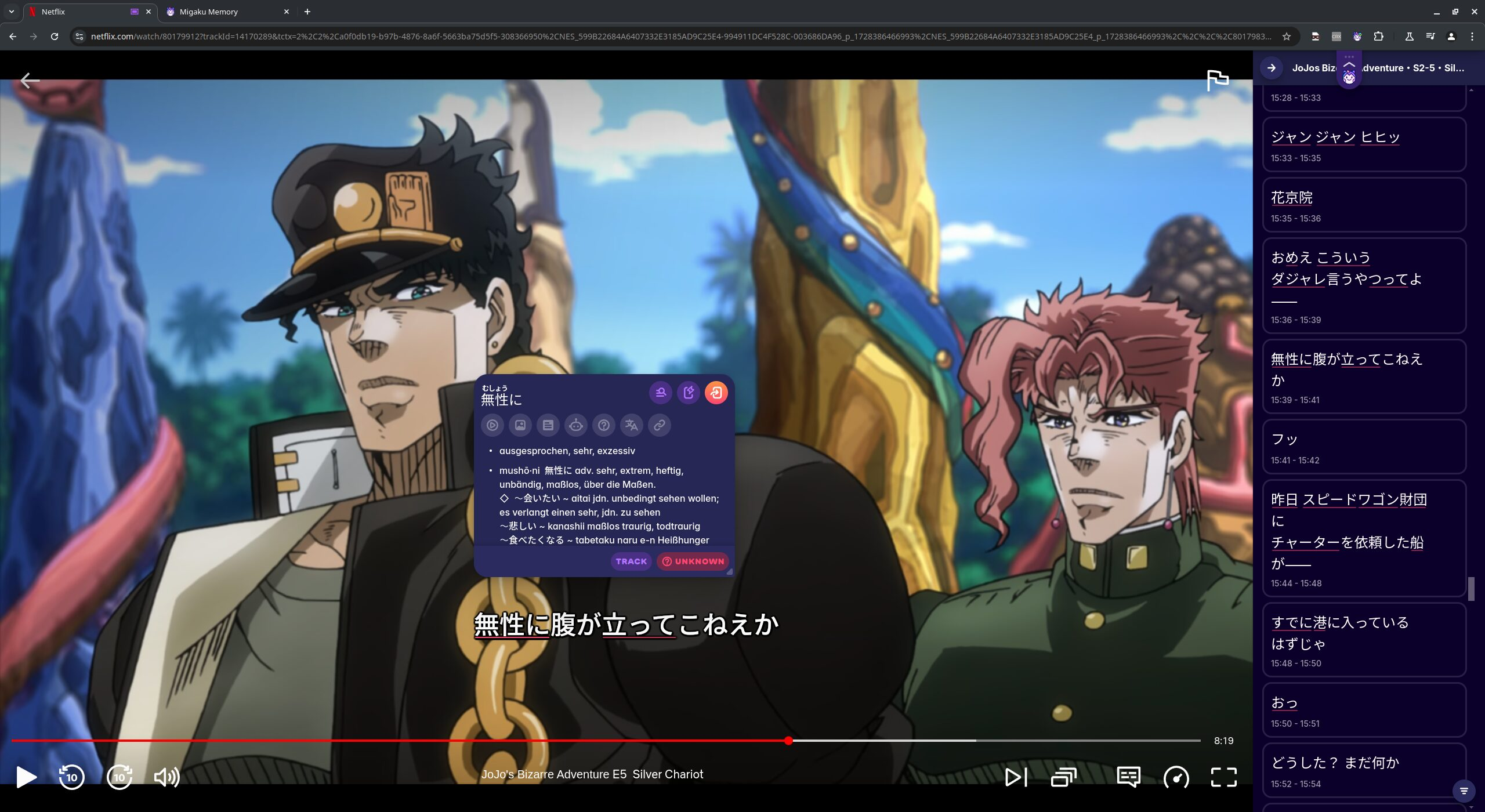
They can tell you how much of a specific video you know in terms of words, what is your expected comprehension of it:
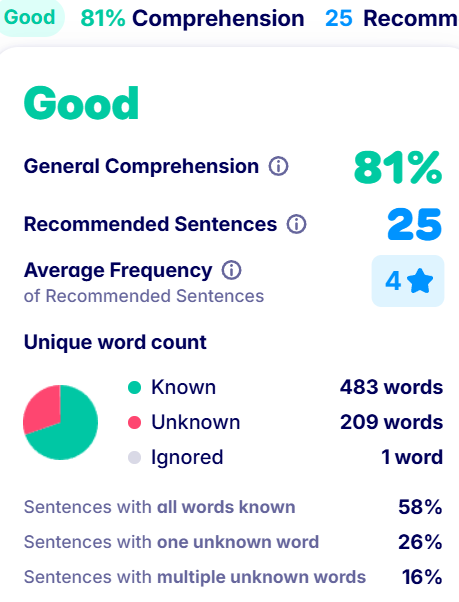
You can:
- Read books
- Watch videos locally
- Study Netflix / YouTube videos
- Generate subtitles if none exist
If you are looking for an alright solution to learning Japanese and you don't mind spending money, in my opinion this is it.
For me personally, messing with tools is one of my little joys so I don't mind it.
Best for Games:
Japanese games are the greatest, let's look at options to learn Japanese from them.
The only real option is to use OCR, which is a fancy word to mean "the computer will read the text on the screen and give you the sentence so you can copy it / look it up".
🏆Game Sentence Miner - Winner of Best For Games
After winning overall earlier, it does make sense that game sentence miner is the best for games.
Once you setup OCR, you can then setup the overlay to be able to look words up directly in the game.
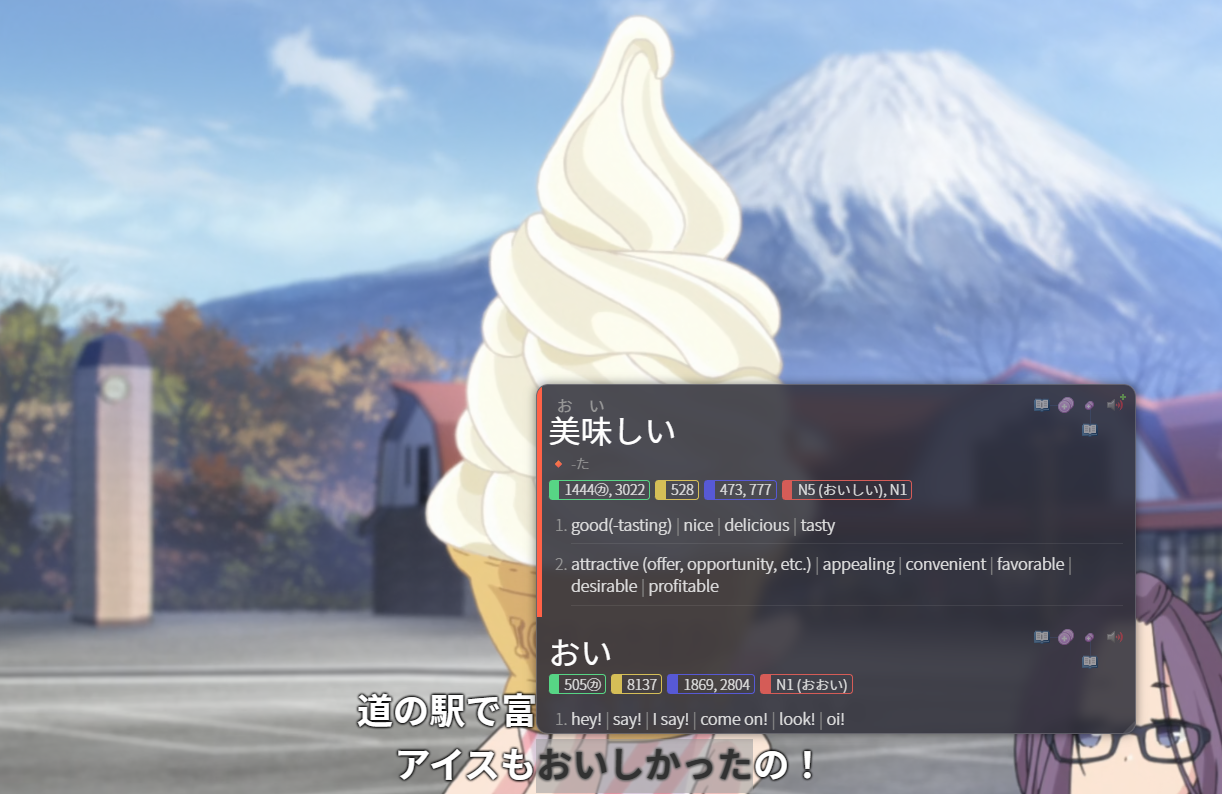
It takes around 1 second to go from "text appearing on screen" to "being able to look up the text".
If you have a GPU it could be even less time, around 0.5 seconds or so.
https://github.com/AuroraWright/owocr
You can then click the plus icon to make a flashcard, and GSM will make it all in the background. You don't have to constantly switch between enjoying a game and making flashcards.
Meikipop
 rtr46
rtr46
This is a really fast OCR that works anywhere on Windows, Linux or Mac.
It's super simple to setup and use, and it works similar to GSM's "hover over the word to see the meaning"
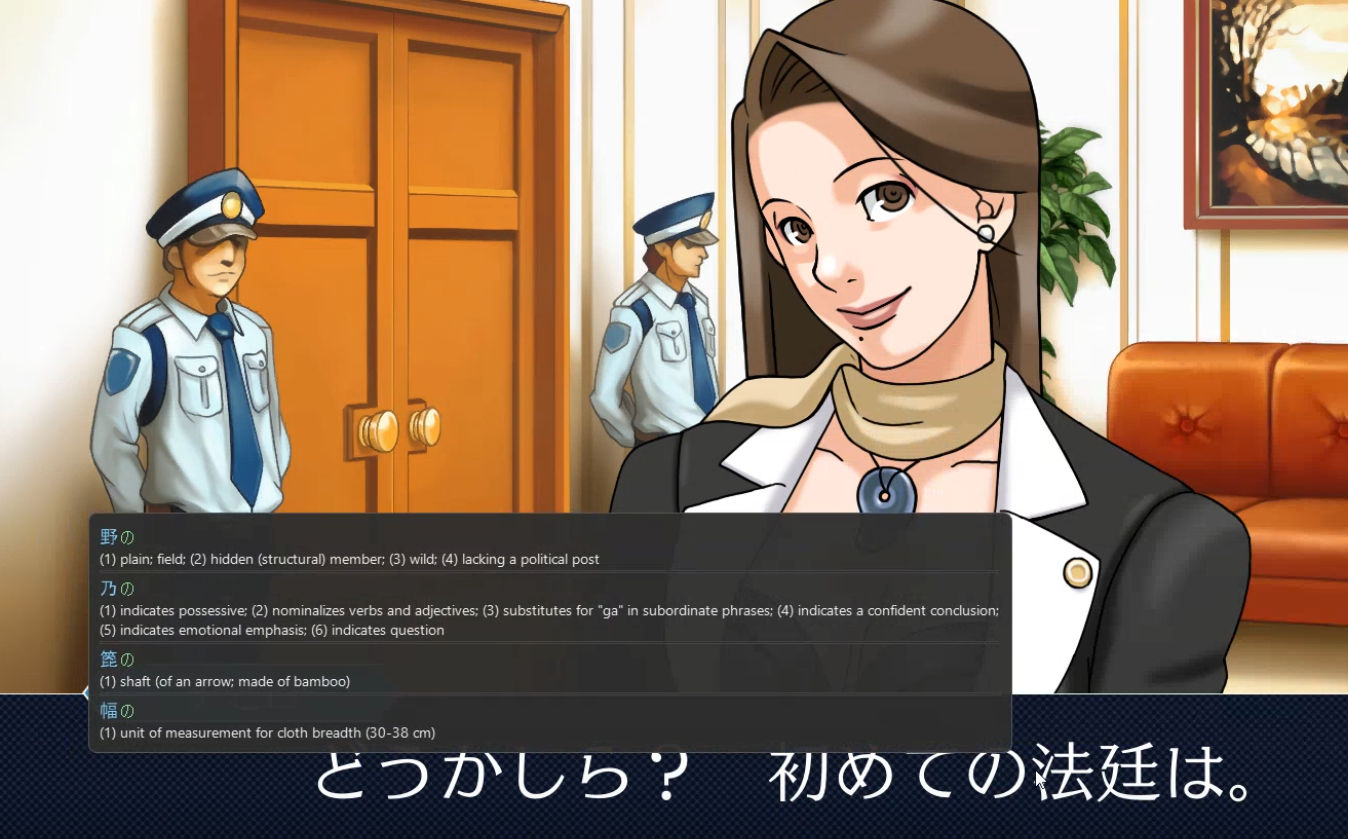
The only downside is that you can't mine to Anki with it, however it is extremely simple to use, fast, and works on anything on your screen (even Windows settings) so for that reason it's winning second place.
Yomininja
Yomininja is another tool similar to GSM.
It uses OCR to scan the screen and lets you look things up:
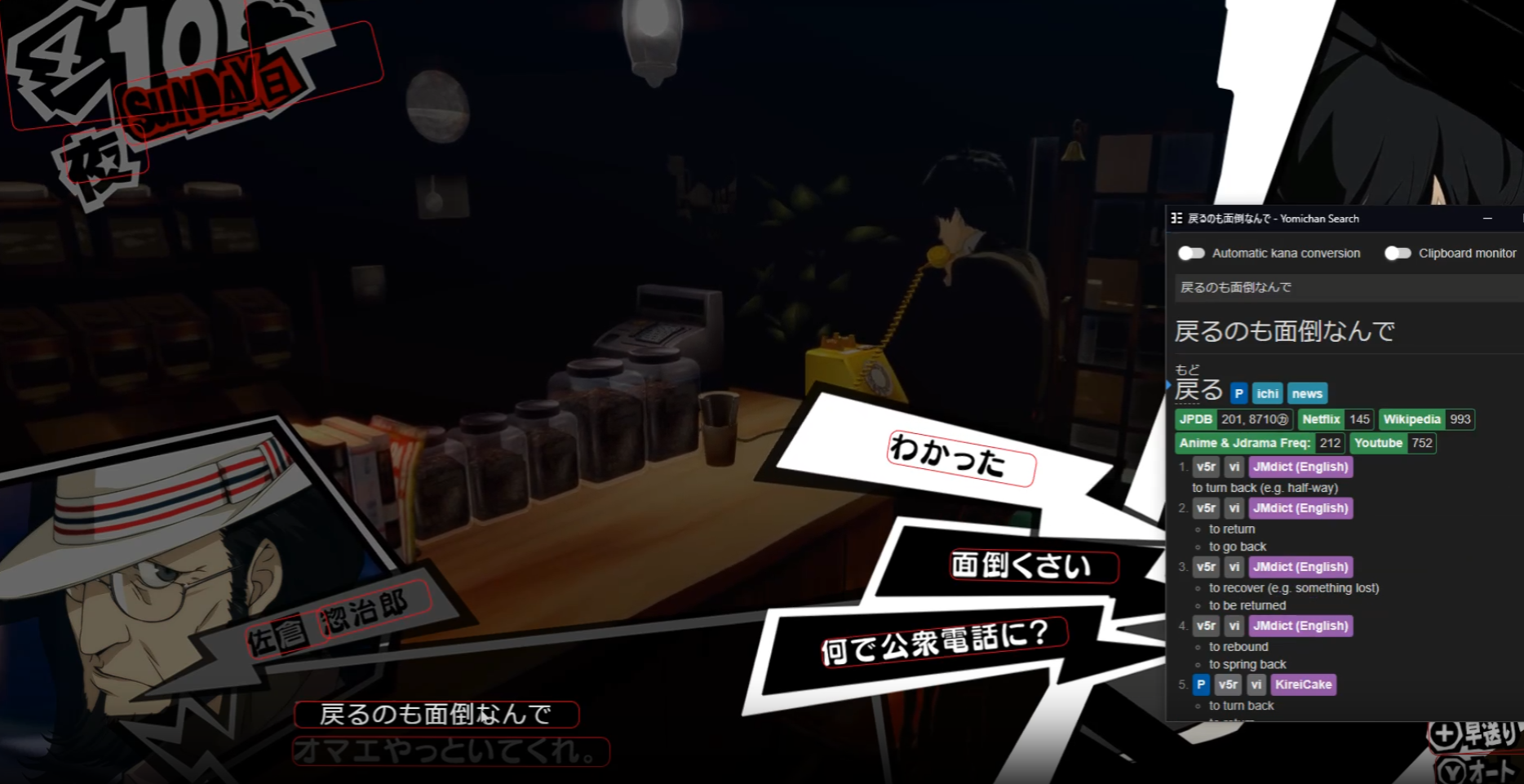
It's a lot simpler than GSM, but in my opinion it's not as pretty.
GSM doesn't highlight boxes red by default, and you can hover over the words and see the definition above them as you read it.
With Yomininja there's this extra box on the side you have to read.
Not to mention the fact that GSM lets you easily make flashcards with the audio and a gif from the game itself.
Still, Yomininja is extremely easy to use and a fan favourite.
Best for visual novels
🏆GSM - Best for Visual Novels
GSM is really, really good for visual media on a computer.
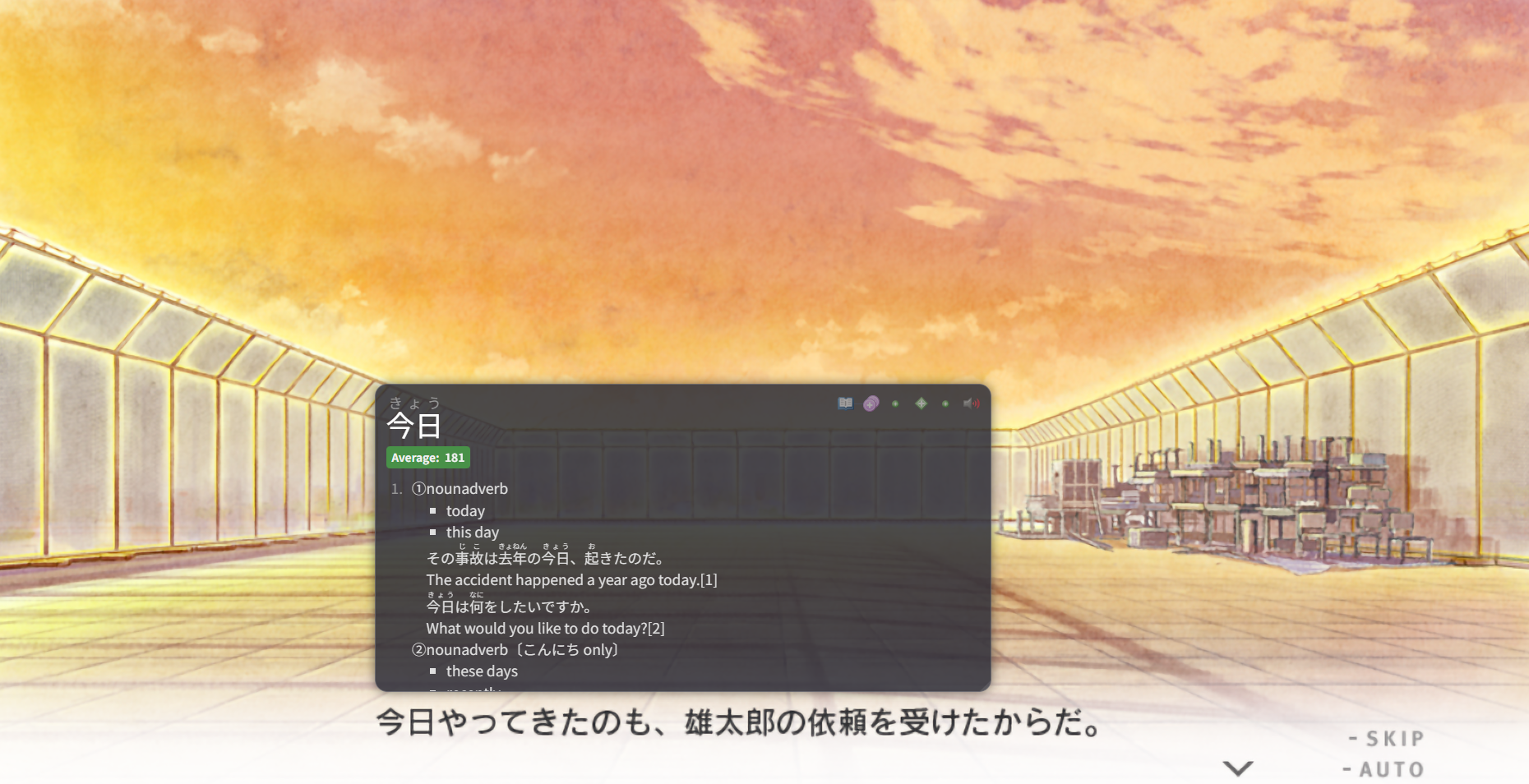
But when it comes to visual novels, we can use texthookers.
A texthooker grabs this text and gives it to you, letting you look things up without OCR.
I'll talk more about this next!
Texthookers work with the overlay just like OCR does with games.
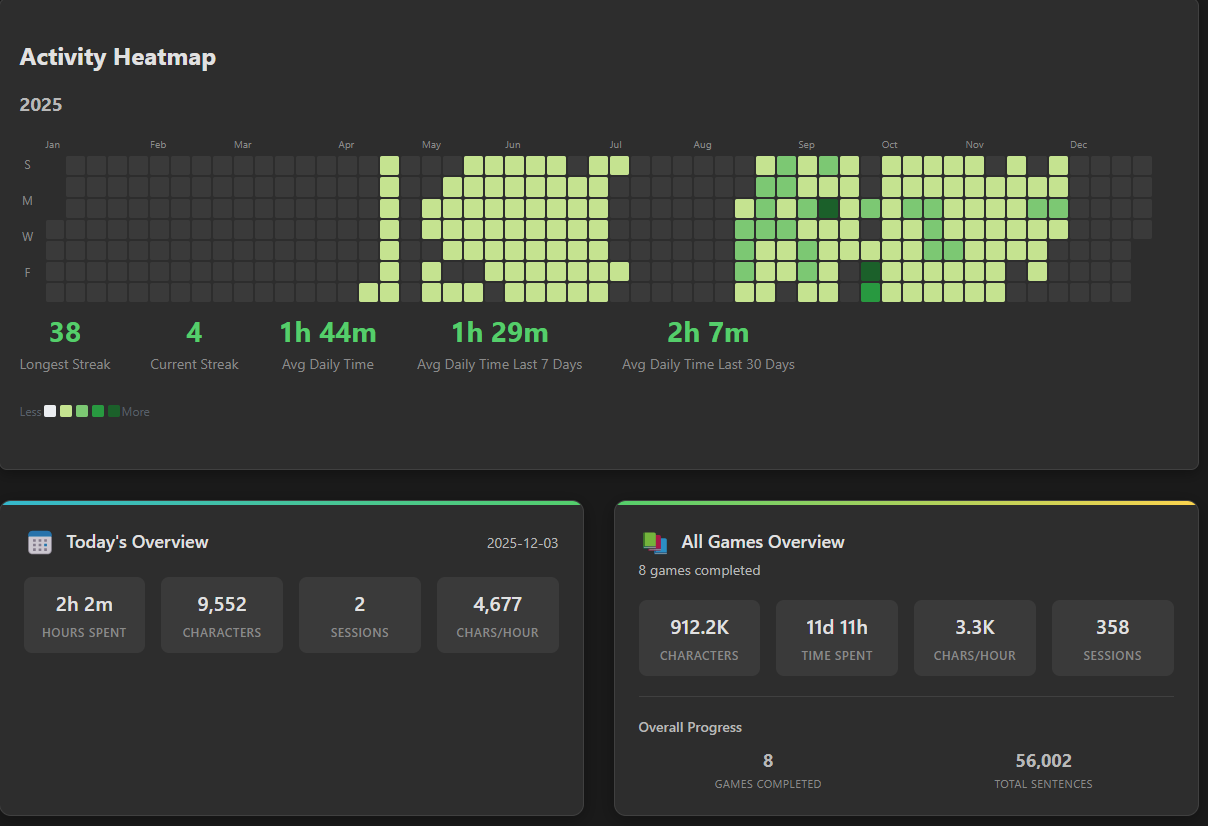
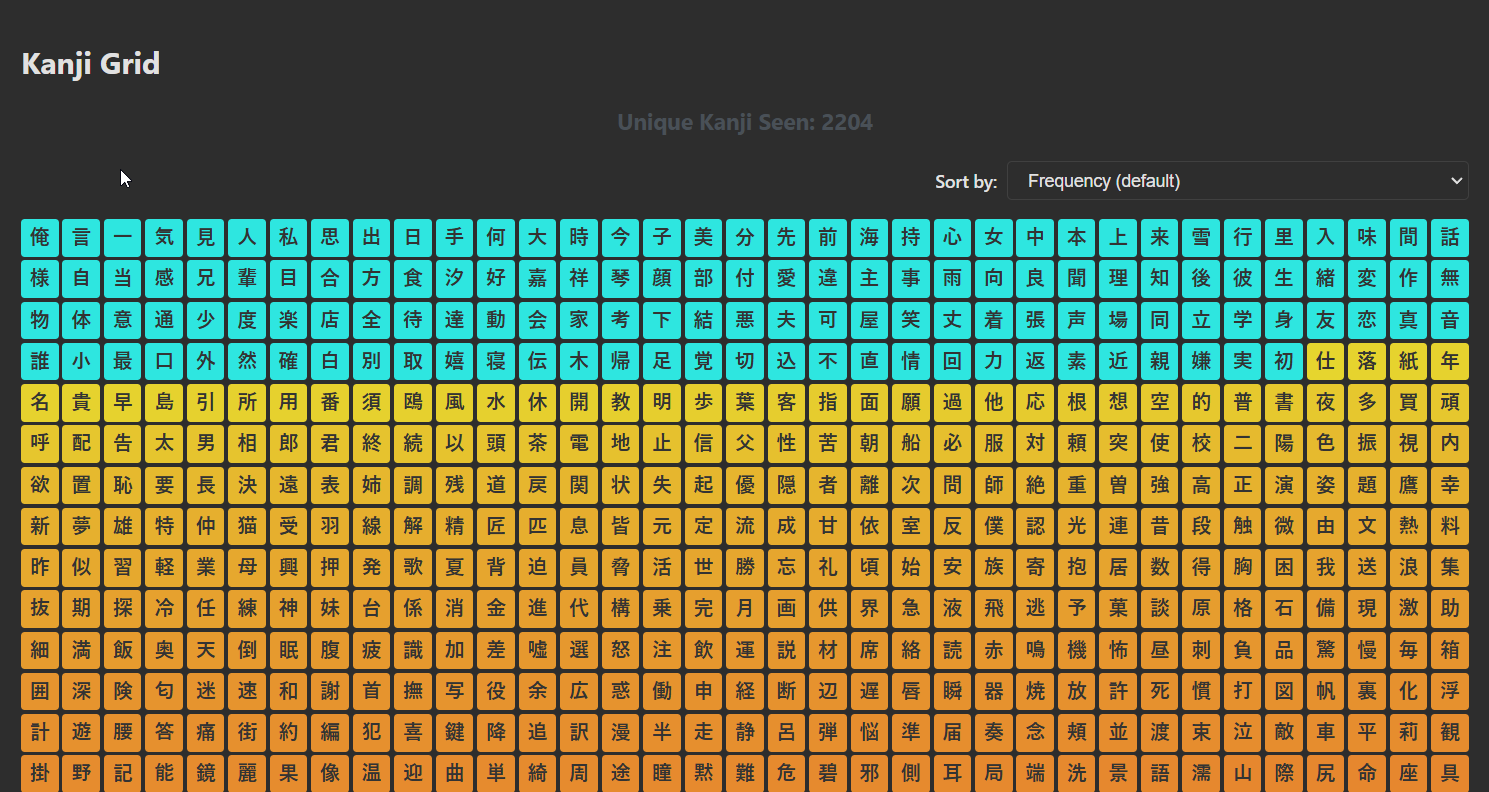
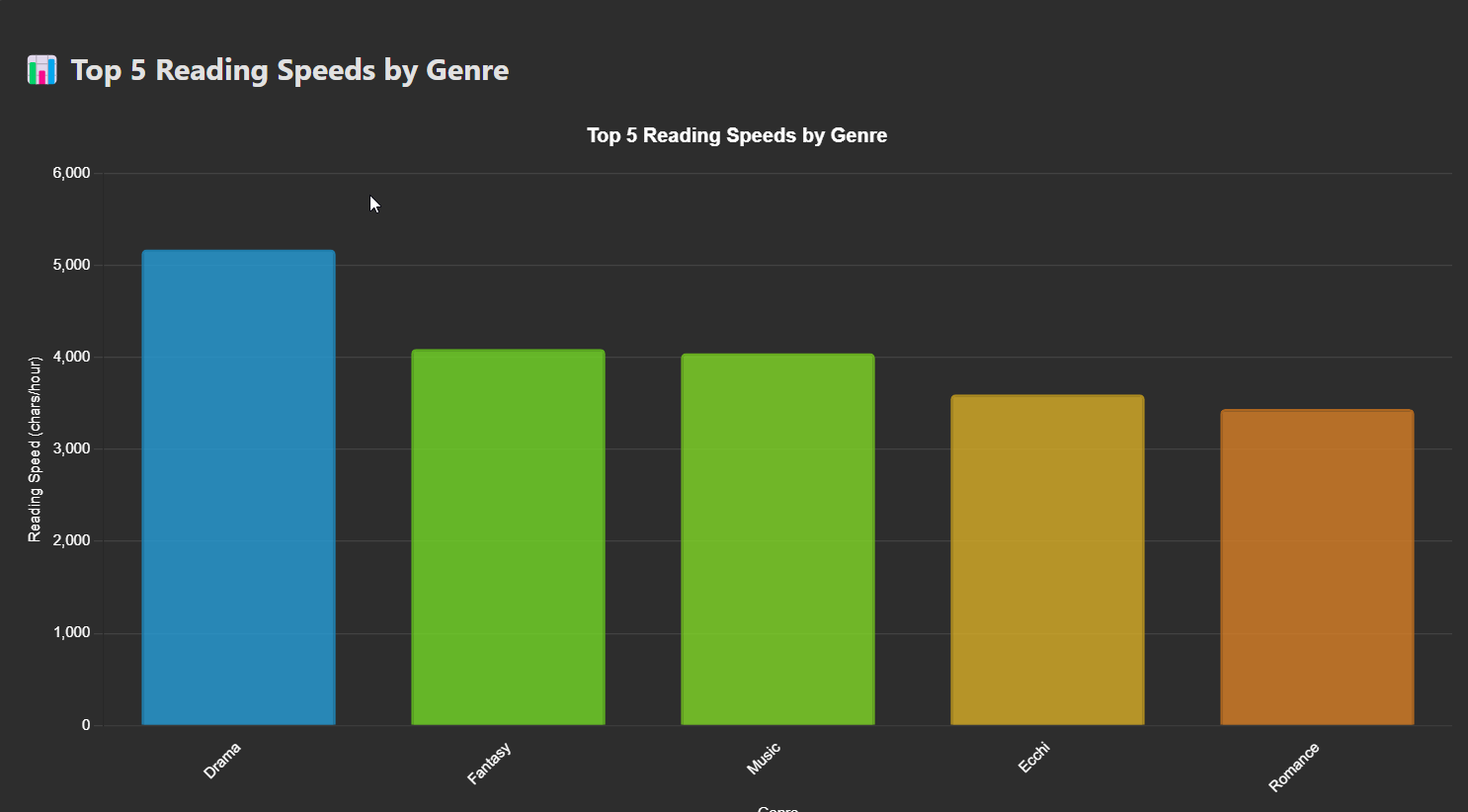
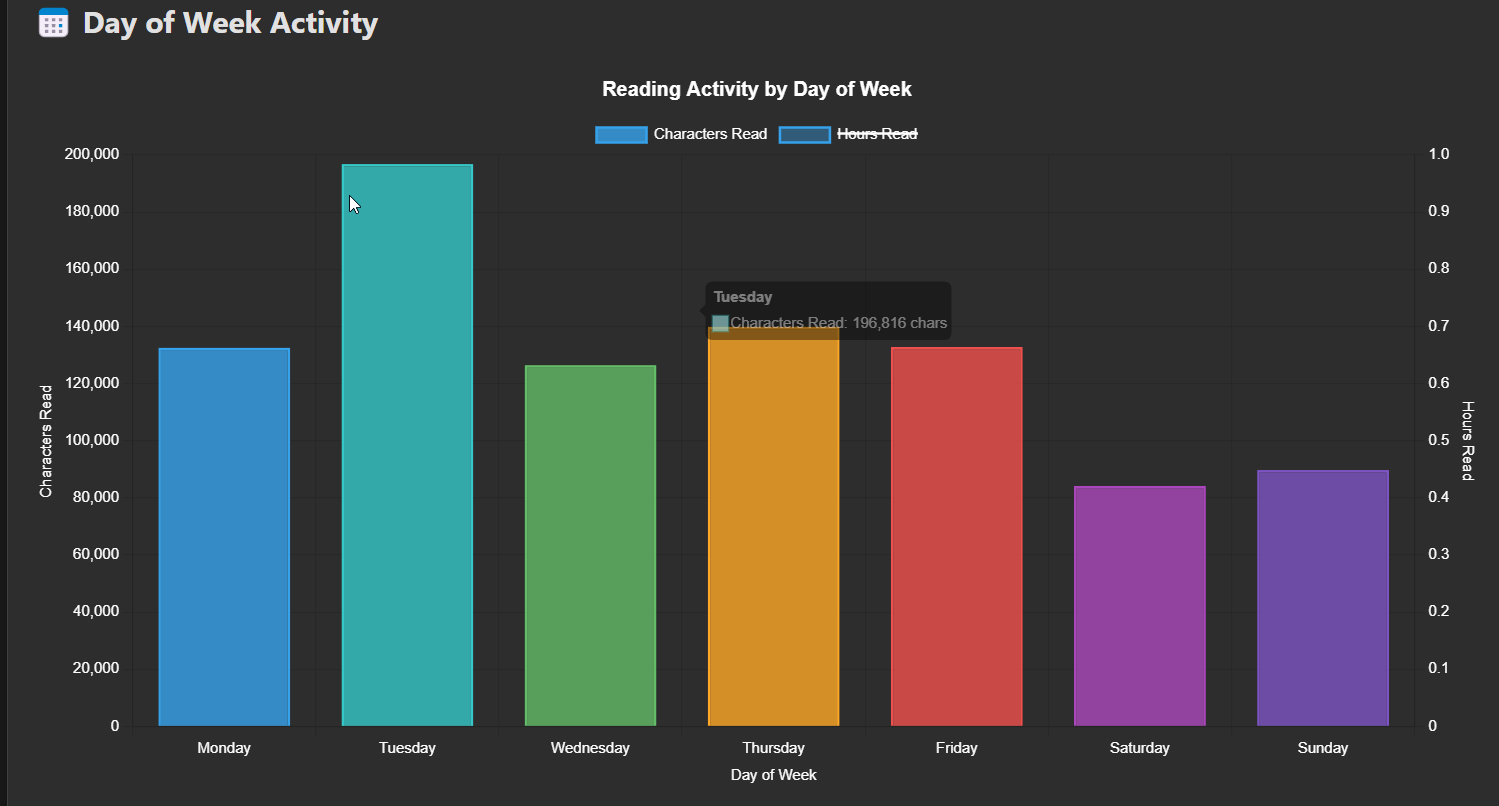
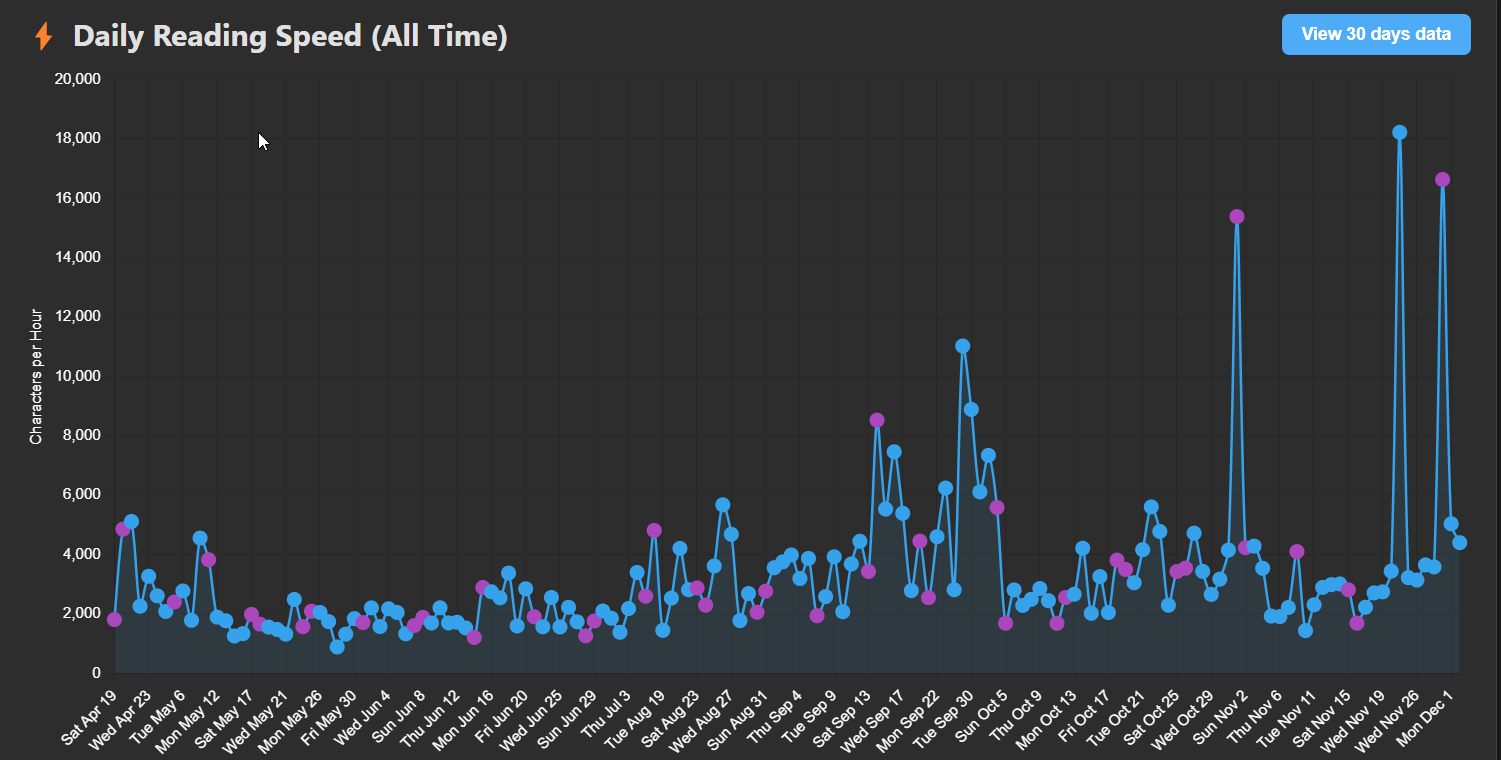
Let's explore an under-rated feature in GSM, as our next tool will have this too – stats.
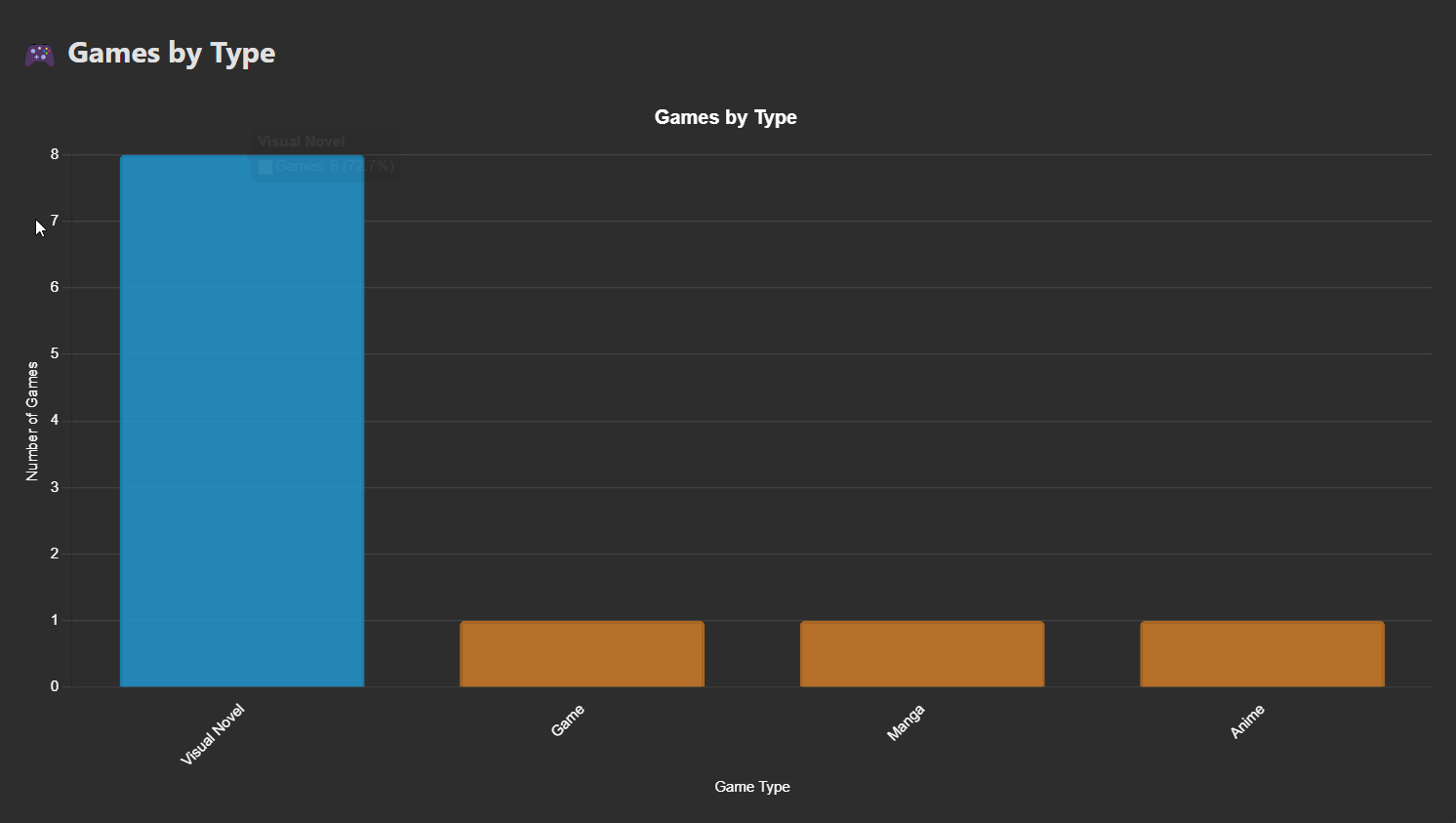
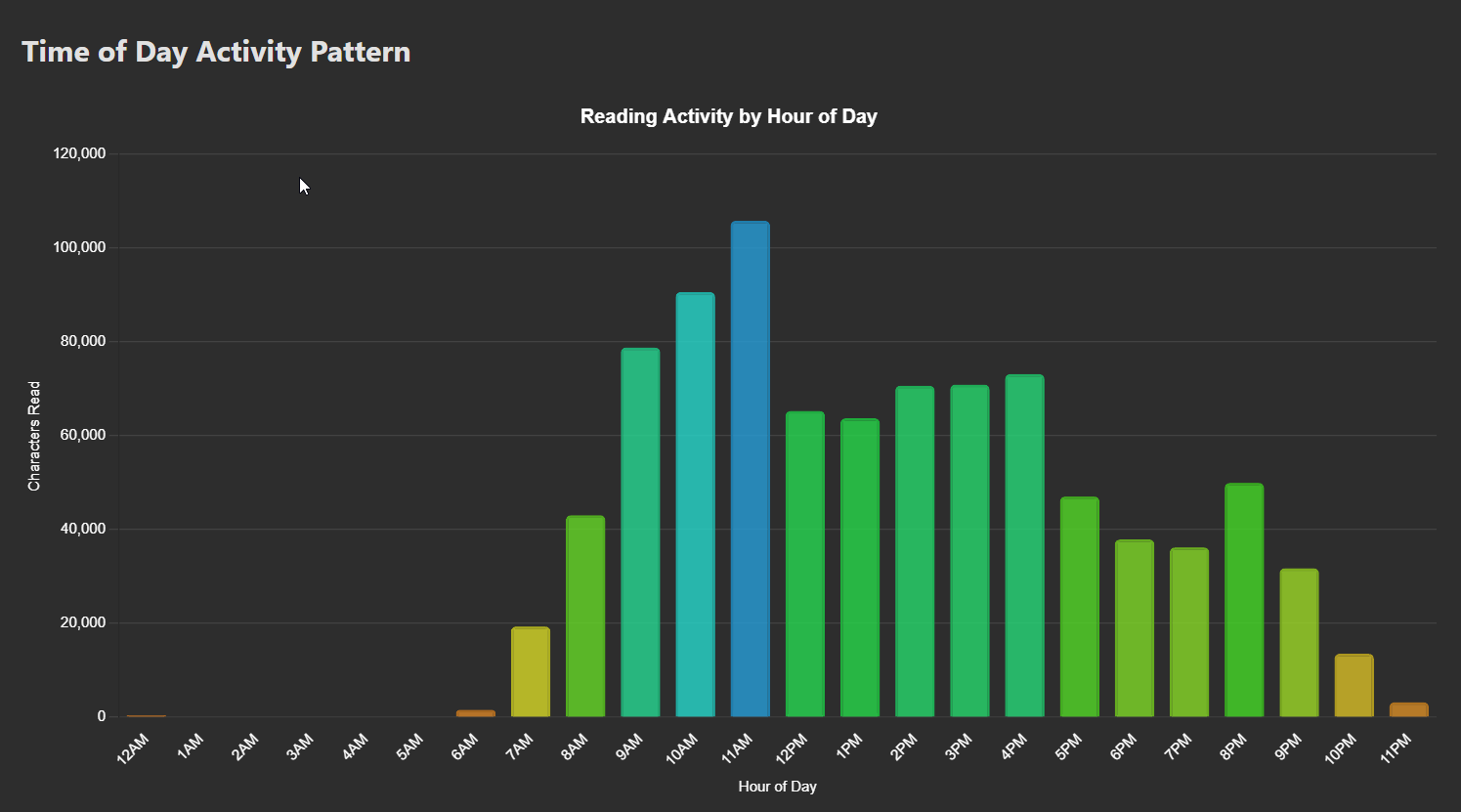
GSM has over 35 charts related to statistics about everything you read, designed to help you answer questions such as:
- Do I read better in the morning or evening?
- Do I read faster reading horror or slice of life?
- Do I play more games or visual novels? Which one is better for me in terms of learning?
- Am I improving?
JL
JL is an alternative Japanese dictionary program.
It works really, really well for visual novels.
I wrote extensively about it here:
 Autumn Skerritt
But in short:
- It's really fast
- It has amazing features specifically for Japanese
- It requires a texthooker and is Windows only :(

I like how you can put the textbox over the visual novel, which lets you do something similar to GSM's overlay.
JL also has some stats:
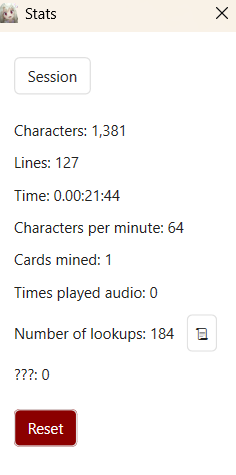
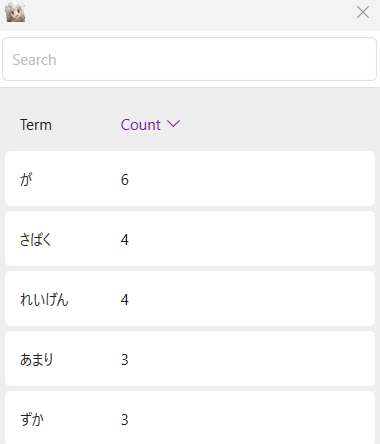
And even more excitedly they have stats on how many times you looked up a word, something that no other dictionary app has.
Best texthookers
Texthookers are lil programs that "hook" into visual novels or some games, take the text on your screen and give it to you.
They are faster and more accurate than OCR, but sometimes awkward to use.
🏆LunaTranslator


By far the best texthooker out there.

It works on everything I try in terms of visual novels.
It can hook emulated devices such as PSP, PS2, and the Nintendo Switch.
If you find a "bad" hook (one that has a lot of junk) there's a million things you can do to make it more normal.
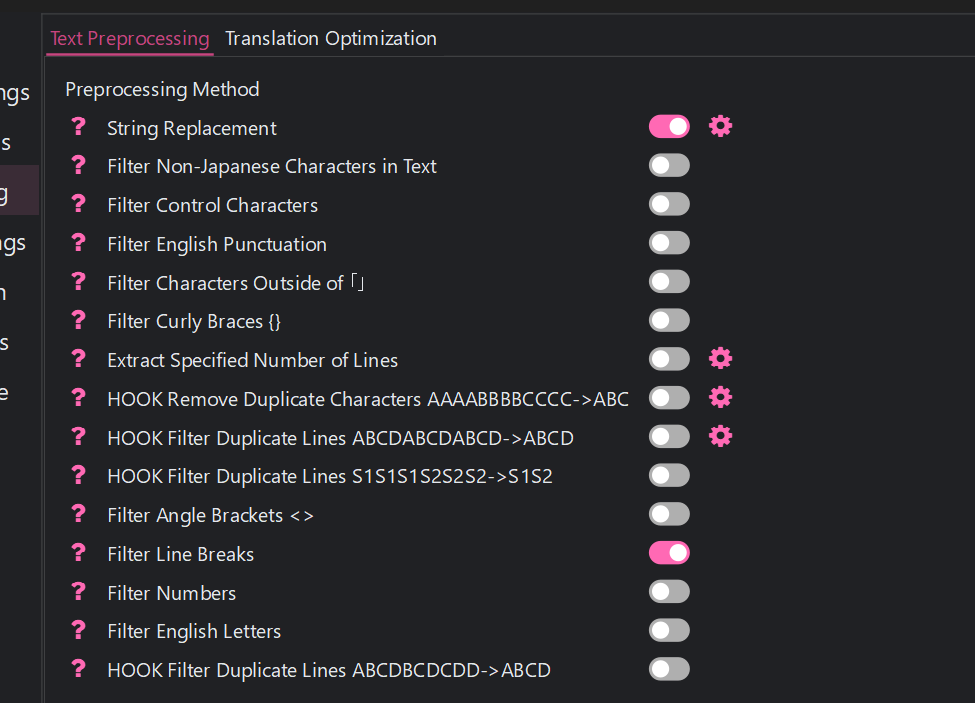
Like filtering out curly braces, filtering out non Japanese text etc.
If this doesn't help you, you can even write a Python file to preprocess the text!

On top of this, Luna supports much more than just hooking.
- OCR
- Speech Recognition (it listens to the sound the game is making, and tries to turn those sounds into sentences)
- You can install Yomitan and use it similarly to JL (it wont overlay like GSM does though)

But there are some rumours that the author has stolen the code of other people and rebranded it as their own (I have not found evidence of this, please let me know in the comments if you have proof).
1. The license is MIT. Legally you're allowed to take the code and not credit. But, morally it's right to credit.
2. The work is transformative, they took code in one language and rewrote it to work with C++ for Luna.
3. Agent (talked about next) also has its own drama. It's not open source, and it encrypts the Nintendo Switch hooks to prevent competition from getting them.
All in all, it's really confusing and messy. Decide for yourself.
Also, when writing code people often tell you what has changed since the last release.
The Luna author does not do this, it's kind of confusing to figure out what's been added or removed.

This led to people not trusting them.
On top of this, it supports a lot. Like translation, yomitan, Japanese parsing etc.
This led to someone forking the code and creating their own version, removing all of this and keeping just the hooking part.
 AuroraWright
Auora is a cracked dev, if you spend any time in Japanese Tool GitHub™️you will see them
Agent
Agent is a much simpler texthooking program.
 0xDC00
It has a database of hooks, and you click on the game or visual novel you want to play.
You then have a perfect hook, it's not dirty and works first time without much issue.
The problem is that it doesn't have hooks for all games and visual novels, yet.
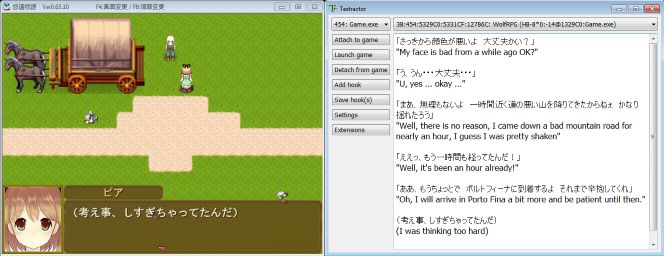
Chen's Textractor
Chen's textractor works similarly to Luna and Agent, closer to Luna in the sense that you find the hook yourself.


It's most similar to Textractor (it's a fork) which is an older texthooking program, so many people love this as its similar to what they already use and love.
Texthooking Pages
Let's say you want to use Yomitan to mine from games / visual novels without GSM / JL or Yomininja etc.
Yomitan is browser only.
You need to take the text from OCR / Texthooking and place it onto a webpage to look up words.
There's some opinions about these, so let's list the most popular ones.
🏆Kizuna
Kizuna is a texthooking paged based on another one by Renji.

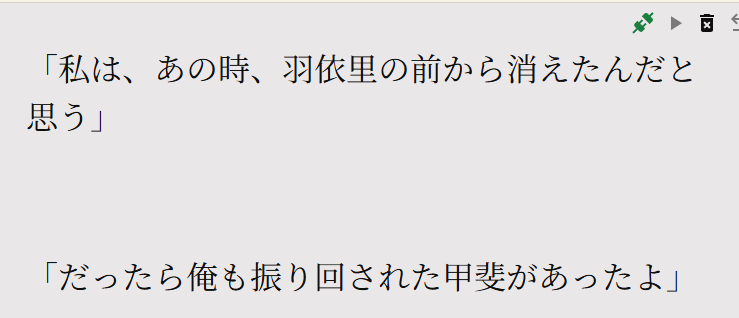
Everytime your texthooker receives a line of text, it sends it to this page.
Here you can use Yomitan to look up words.
Kizuna is special because it's a social texthooking page.
It records characters read and time spent per visual novel:
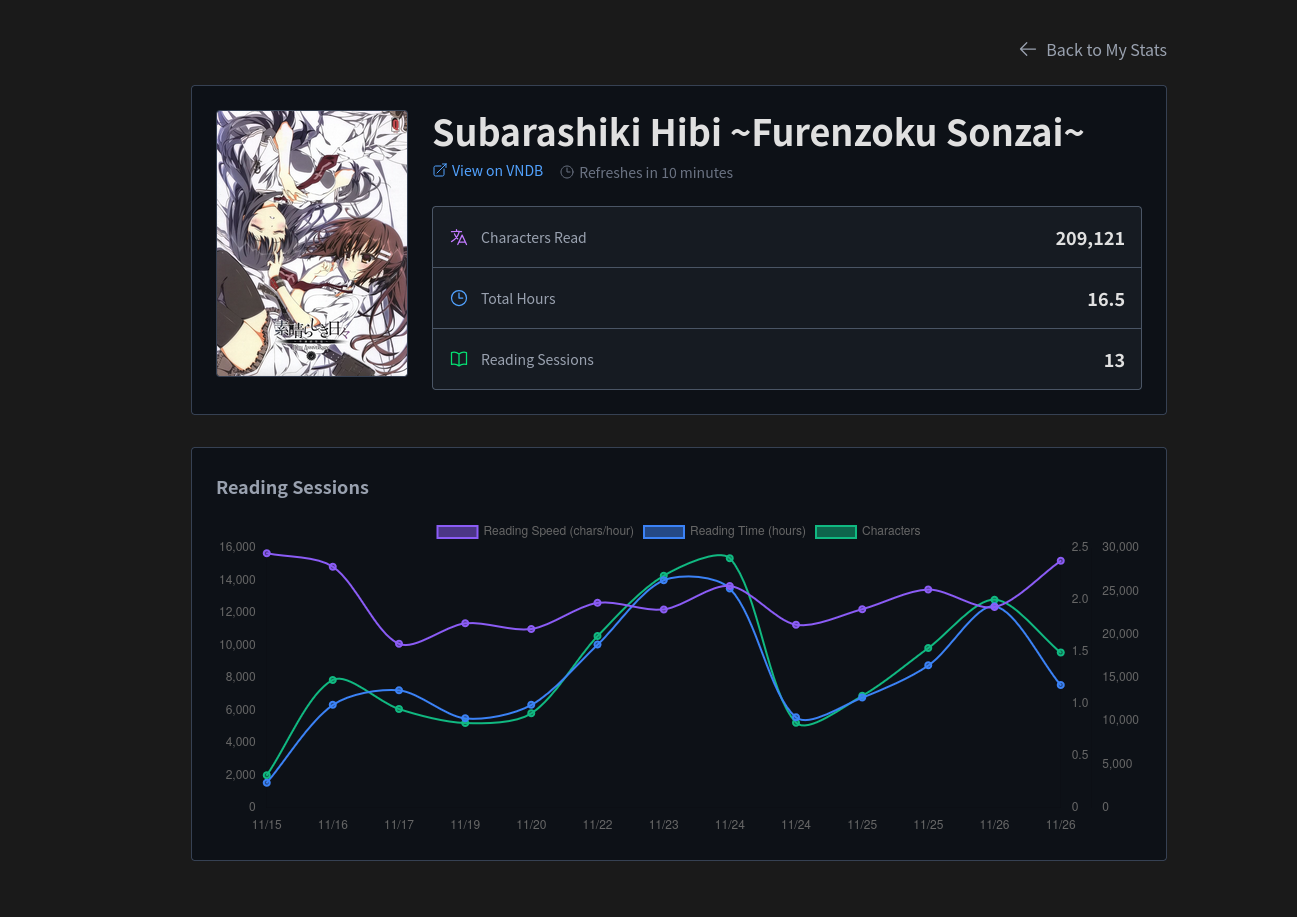
And you can create "rooms" with your friends to compare your stats together and motivate each other:

It's three main downsides are that it is focused primarily on Japanese visual novels, it's not open source and it doesn't let you export your data.
Renji's Texthooking Page
 Renji-XD
Renji's page inspired Kizuna's.
It's a simple texthooking page that can be downloaded and ran entirely locally, with its source code published online.
It looks pretty much exactly the same:
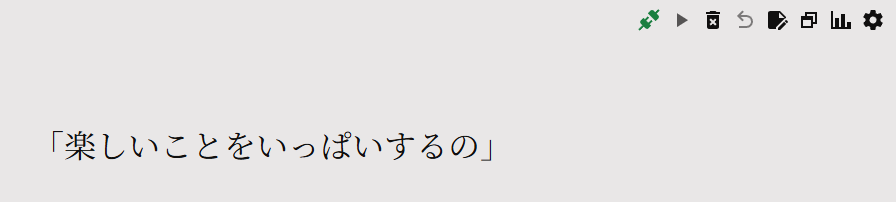
Many people use Renji's because it's lightweight and has many settings to allow you to configure things.
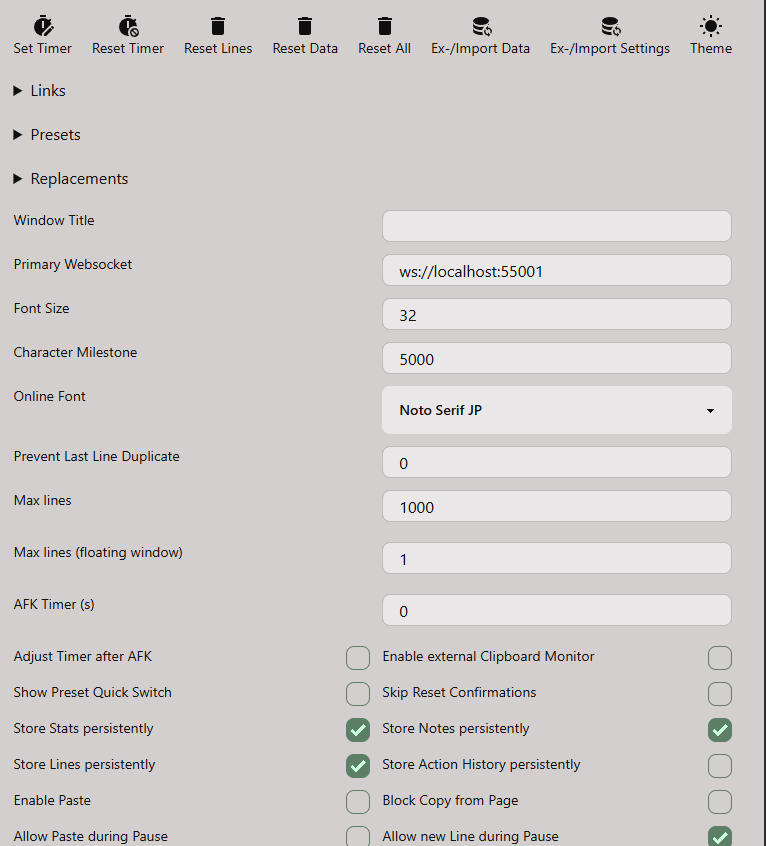
Maybe too many settings.
Because Renji's texthooker is open source it is often bundled into other software like Game Sentence Miner which has added a few specific features.
While Kizuna has stats, Renji's does not other than characters read and time spent.
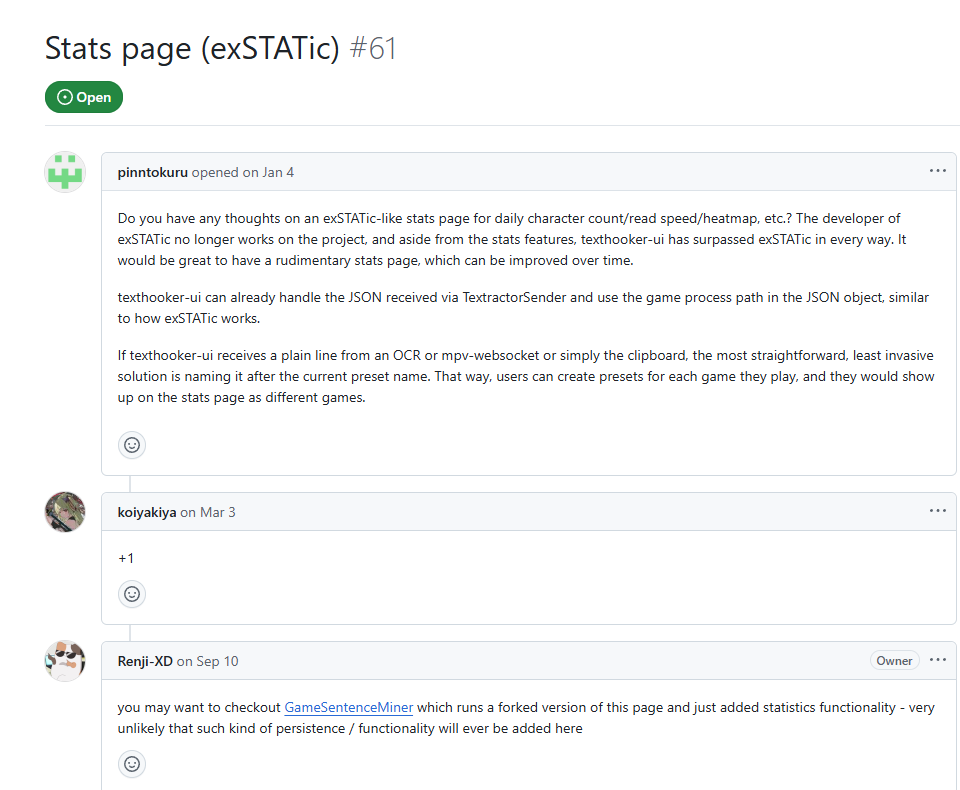
The author, Renji, actually suggests people use GameSentenceMiner for stats with their texthooker:
ExStatic
 KamWithK
You may have noticed in the previous paragraph someone mentioned ExStatic.
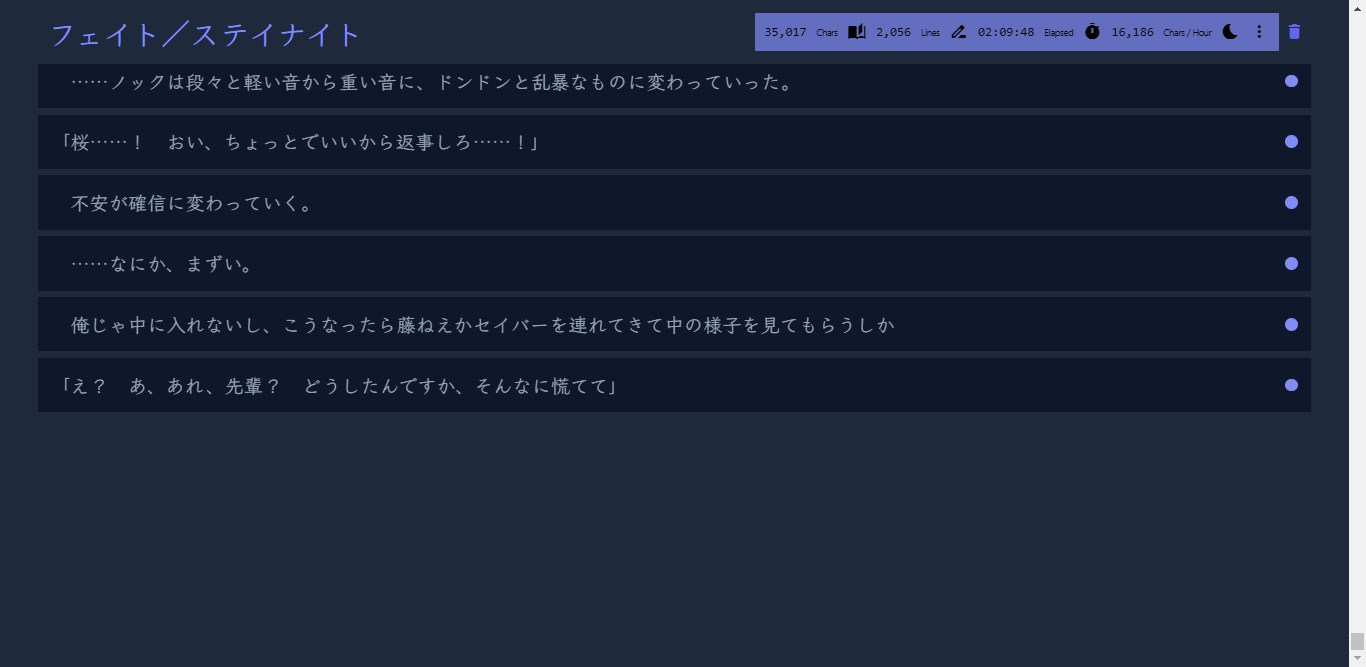
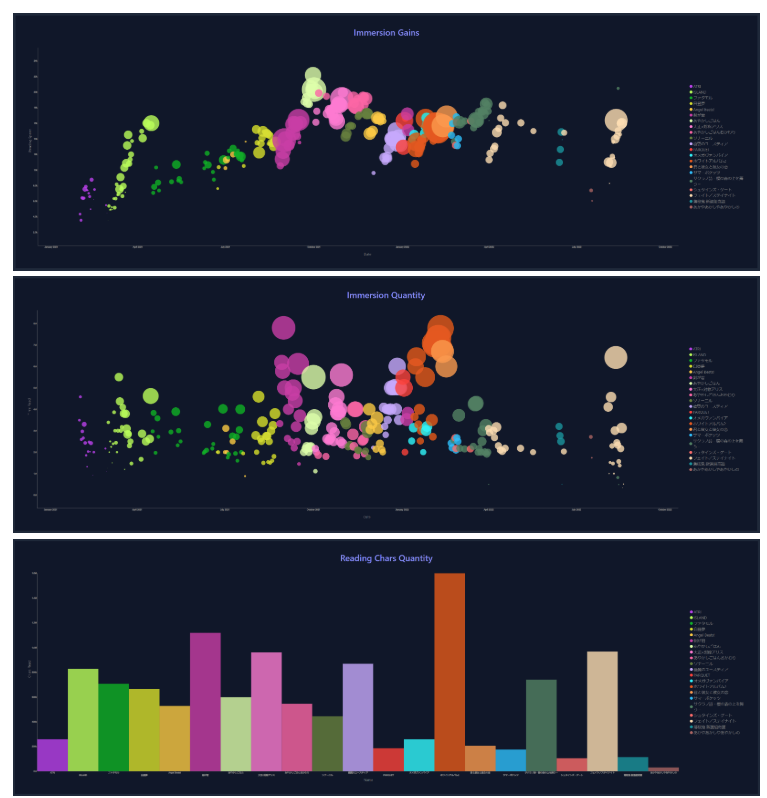
This is another texthooking page but with a lot more stats.
But in terms of functionality of the page itself, it's lacking somethings that Renji's has.
Still, many people use ExStatic as an easy way to get beautiful stats. It is open source and can be run entirely locally, without an internet connection.
Other stat apps form opinions, like what is Japanese? Do English letters count? Like does the T in "Tシャツ" count?
By giving you raw data, you can decide for yourself what counts and change the stats at any time.
Only ExStatic, Renji's and GSM support storing raw lines of data.
best for manga
🏆Mokuro + Mokuro Reader - Joint 1st
Mokuro is a file format for manga. It's basically a HTML overlay over a bunch of Manga images that let you look up the words in that manga panel using Yomitan.
It does this by OCRing the manga to generate this.
Mokuro Reader is the app that lets you read these files:
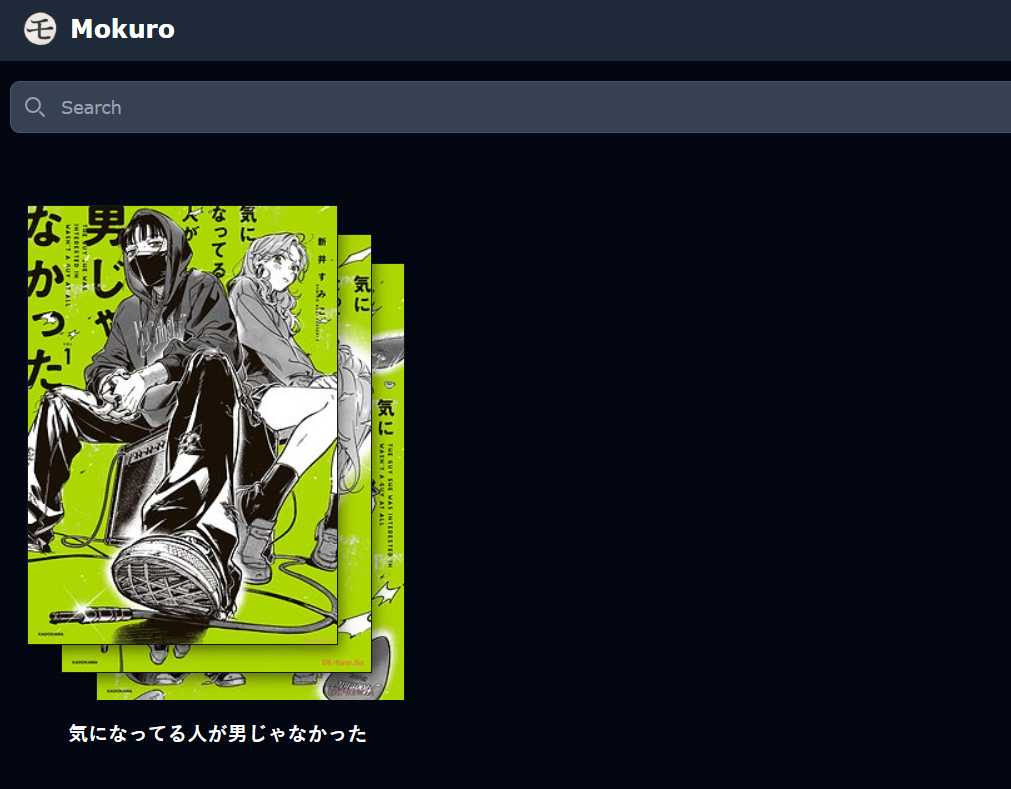
The main problem with this is finding manga.
You have to find a way to buy the manga, get the raw images, and process it. There are less than legal ways to do this, but I won't talk about that here.
You can store all of your manga in the cloud along with progress etc and easily read from any device (you can read from any device, and use Yomitan on Android if you want to mine):
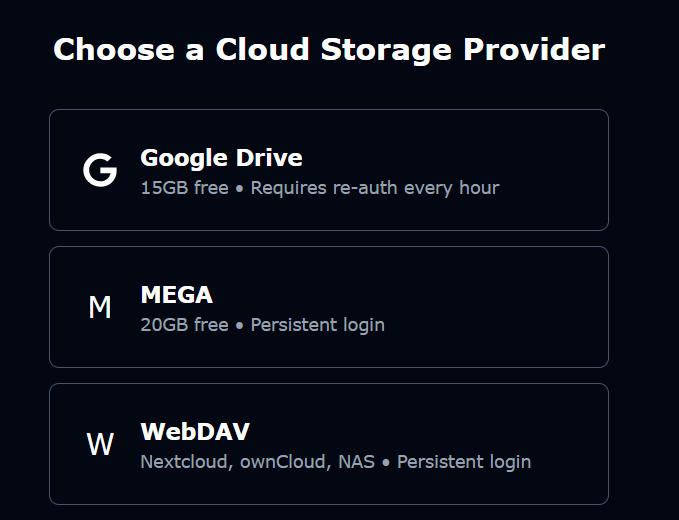
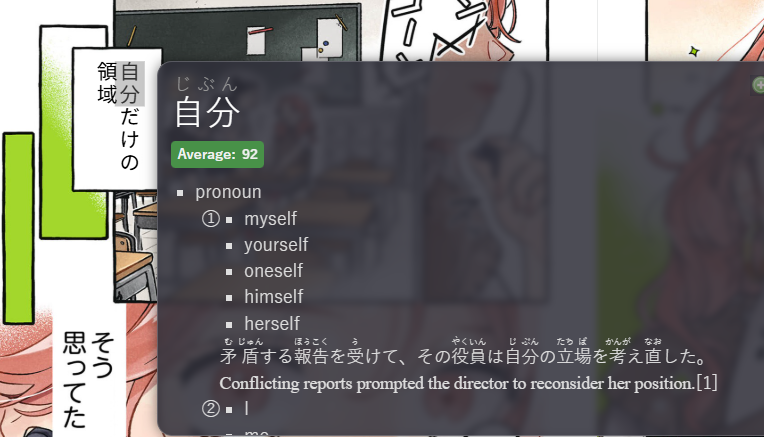
When you read manga, since it is in the browser, you can use Yomitan to look things up:
For reading it has some cool features, like a night mode to block out blue light to make night reading easier:

And a million other minor settings to alter how you read.
Of course it also has Anki support. Make a word card using Yomitan and then
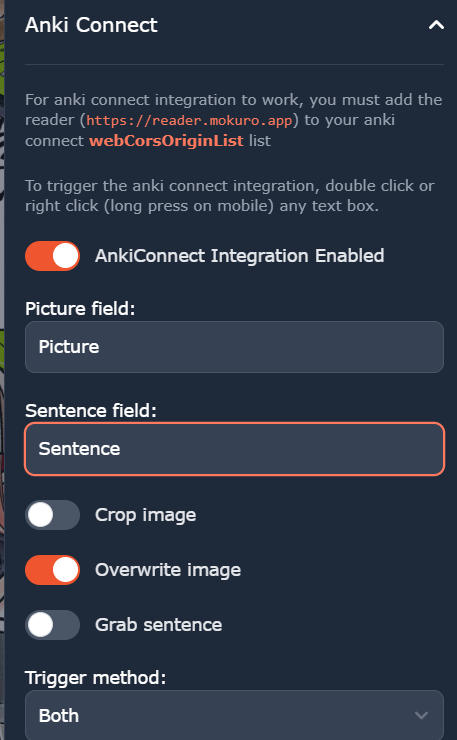
Double click the screen to grab an image.
There's even stats!
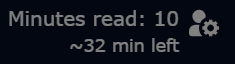
In the manga itself you can see how long it'd take to read your current volume:
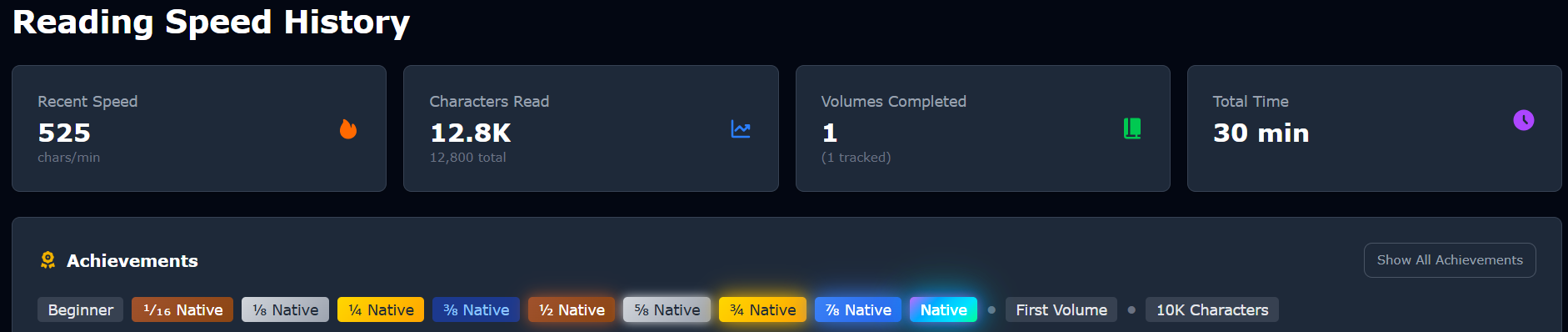
The stats are visually appealing
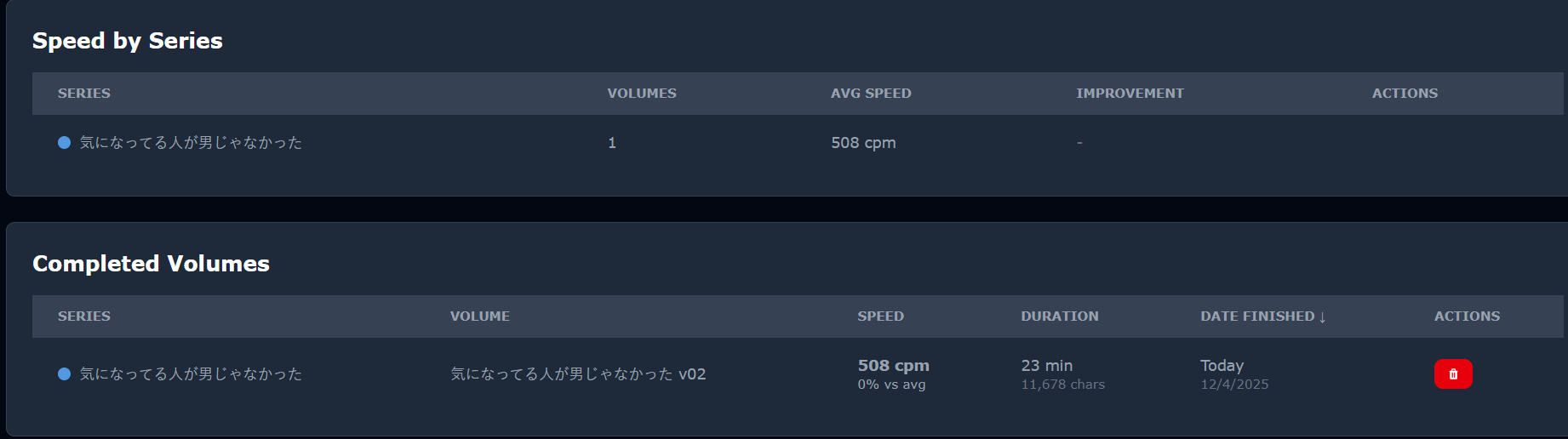
With cool per volume / series data:
My main complaints are:
- The stats are precomputed, it does not store your raw data. This means if you change your mind about something (like I don't want to count English letters, I don't want to count repeated things like aaaaaa, or I want to set my AFK timer to be lower) it's impossible to change.
- You have to use Mokuro'd manga, which is very hard to find and painful to convert if you don't have a powerful computer.
🏆MangaTan - Joint 1st
 kaihouguide
MangaTan was born out of anger.
Anger at Mokuro files being terrible to create.
Anger at current manga websites shoving 10 ads / second down your throat.
Hear it from the creator:
We can just drag and drop light novels into ttsu, hook into visual novels with ease, or load up anime with subtitles in ASB or Memento.
But manga? Manga has always been the exception.
The process often meant needing a high-end GPU just to run tools like Mokuro, and then waiting for it to finish
And don't get me started with those terrible websites that use the worst hosts in existence.
Who doesn't miss the old days of simply reading manga in bed? Before we were hardcore weebs, we didn't have to deal with our tenth ad on a limited 100kbit-speed-limited hoster while using Tachiyomi. But you can cast aside that
If it was Mokuro (the converter) vs Mangatan, Mangatan would win. I once spent 27 hours converting a single volume of manga into Mokuro.... and the OCR sucked. A lot.
Mangatan aims to get rid of all the painpoints of Mokuro:
- You don't have to spend 20+ hours converting manga to mokuro files
- Or searching for Mokuro files across the web
- It works with over 1200+ sites, the second a new volume of manga is released you can read it 🥳
The setup requires some computer skills but once its done, it works alright.
.exe, which would make Mangatan extremely easy to use.Update: After I joined their Discord thread and talked about this, there is now a one-click
.exe you can use!Mangatan is my favourite. I don't want to update this, as it happened after my imaginary award show. But future readers: use Mangatan.
Use this fork https://github.com/KolbyML/Mangatan
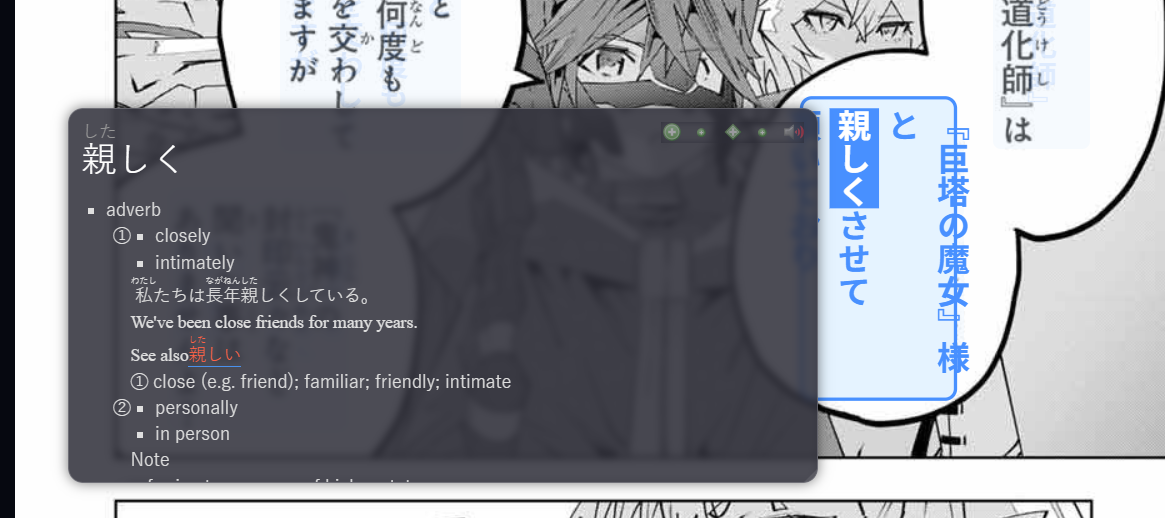
Every time you load a page it will OCR it and let you look things up.
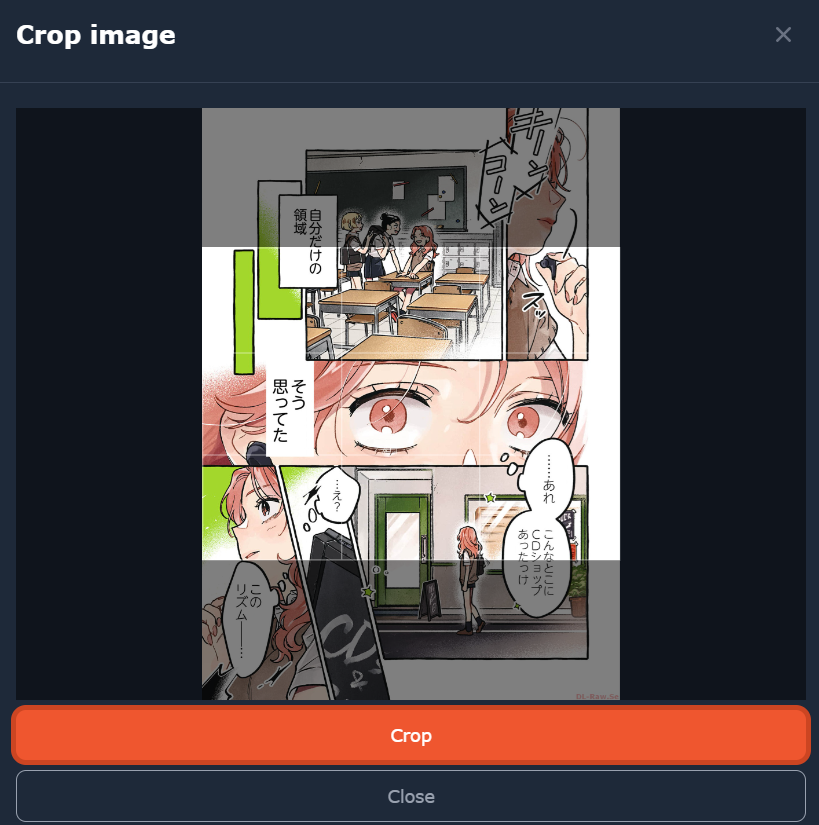
You can even crop images to send to Anki:
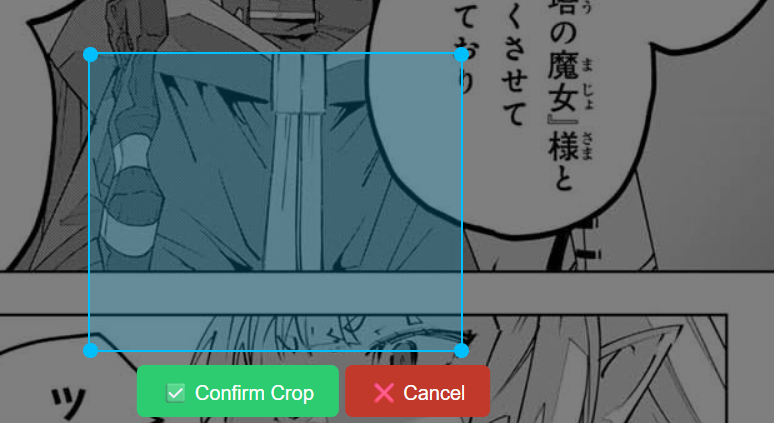
It's very lightweight once its running. All it does is OCR the manga and crop images for anki cards.
From the author themselves:

There's also a bunch of settings, for example you can use your own OCR server if you want:
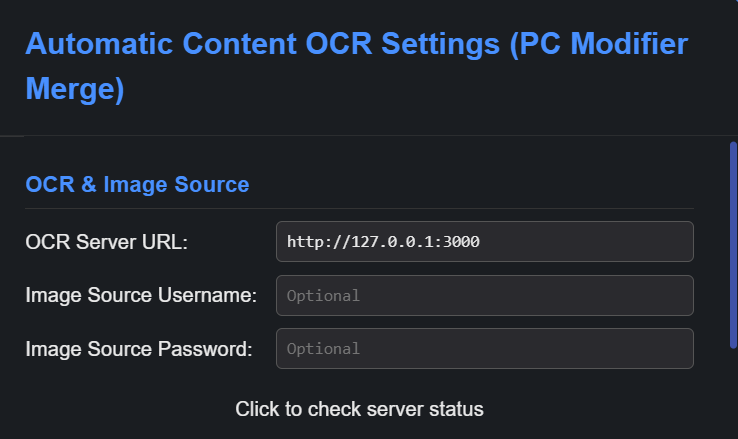
I like setting the colour to purple and font colour to black, as it makes it look nicer to me:
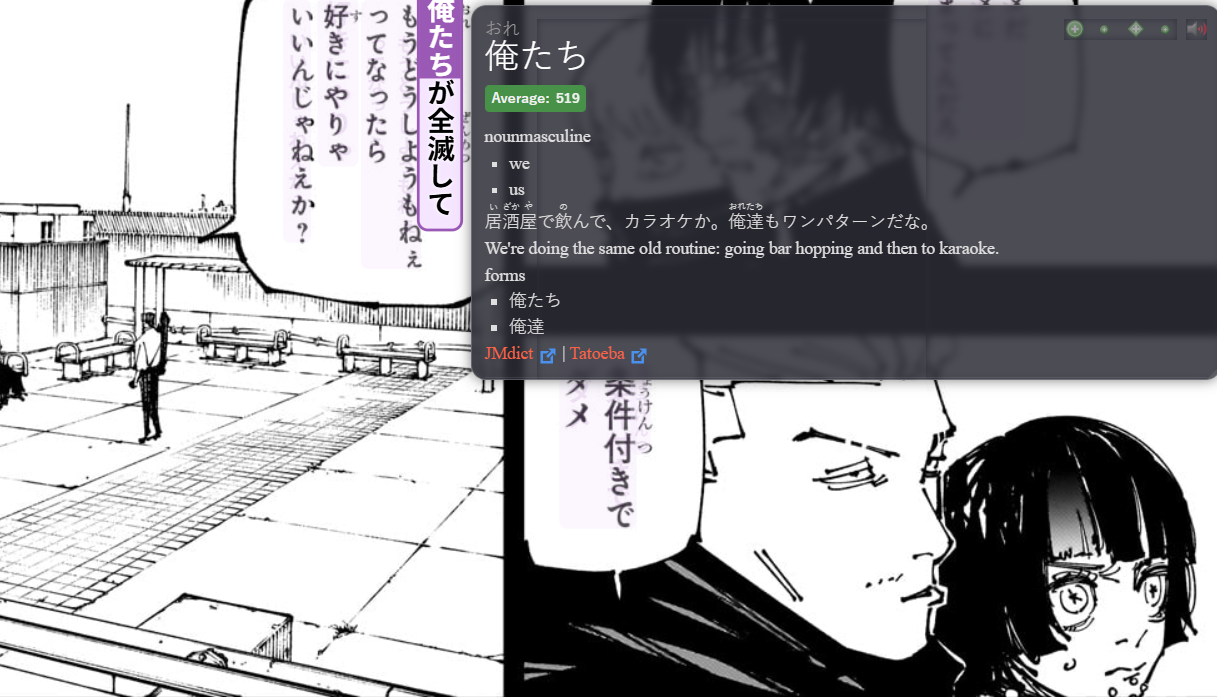
There's no stats, but in this case it's a good thing. Mangatan is extremely lightweight.
It also works on Android devices.
GSM
You can also use GSM's OCR to read manga if you so wish.
Set up the OCR, and then open the overlay and you can create flashcards etc similar to how Mangatan does it.
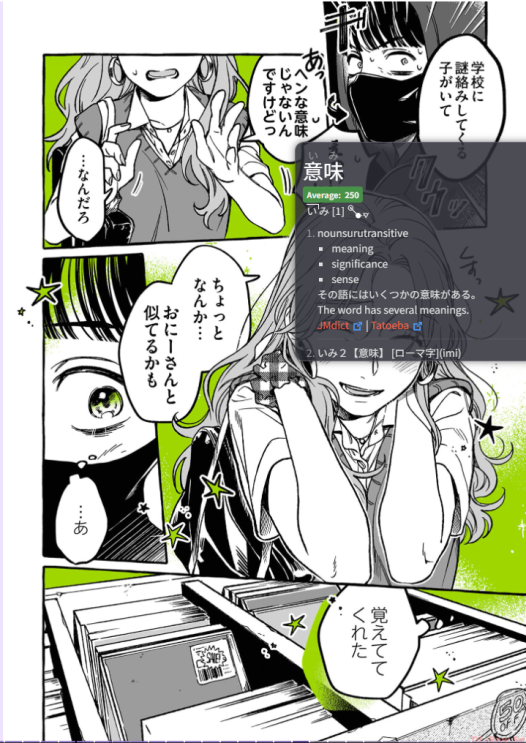
GSM even has stats for manga:
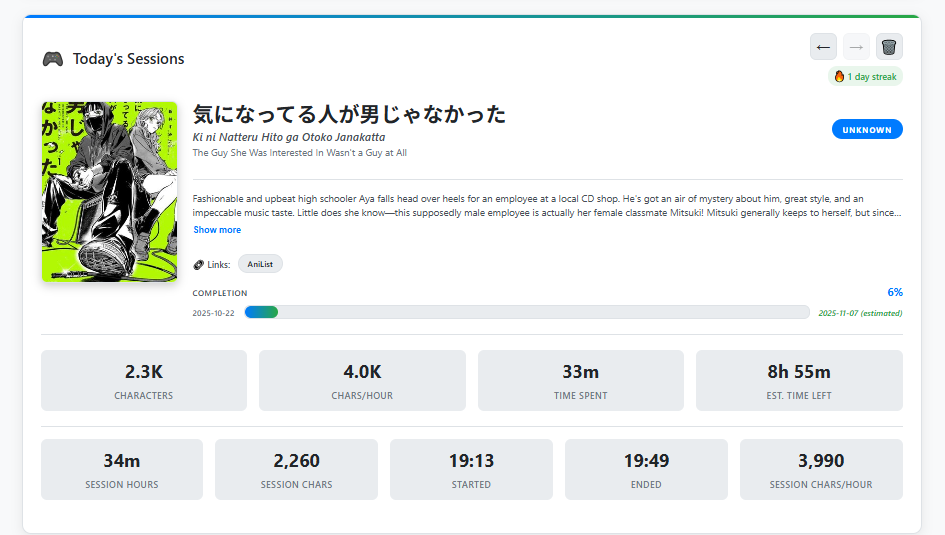
Because GSM stores the raw data, you can also use it to calculate how many times you've seen a kanji, or search to see the first time you encountered a word or kanji. You can do anything you want.
But the downsides are that GSM isn't made for manga.
When it takes a screenshot, it can't crop the manga like Mokuro does (due to it being built for games / full screen things).
Look at this Anki card:
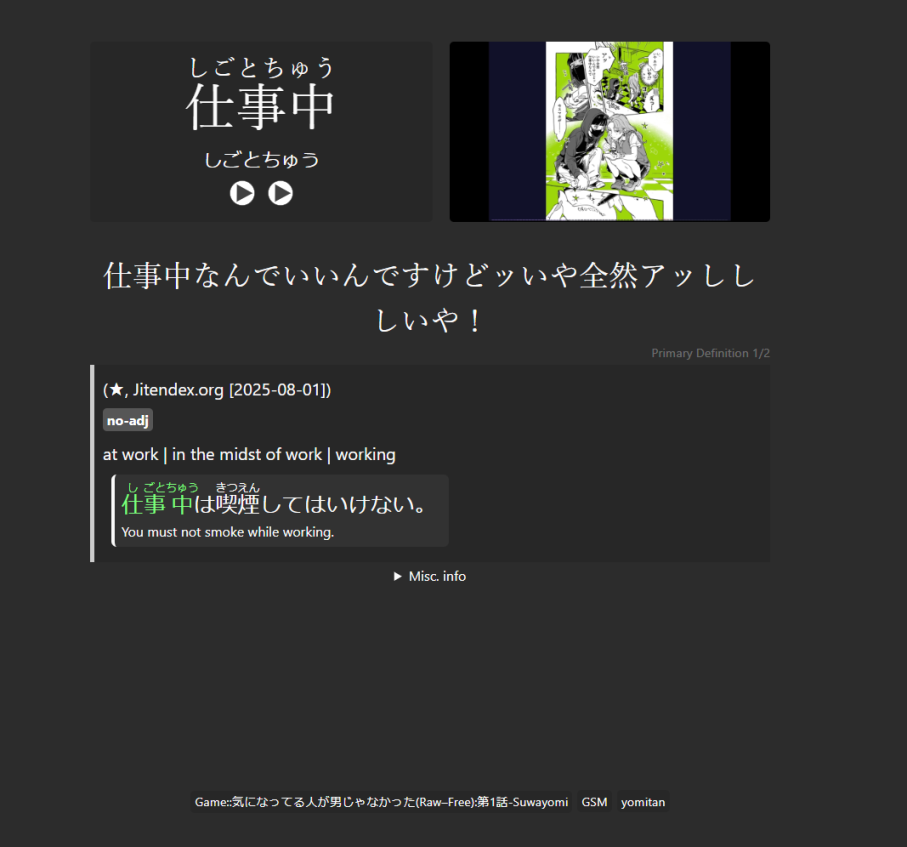
The image has black bars around it, whereas if it was cropped it would not.
If you already have a good GSM setup, it makes sense to use this. But if you want a really good manga setup, maybe this isn't so good.
It's also not as automatic as Mangatan, if you want nice stats you need to tell GSM you're reading something new.
Mangatan can only use Suwayomi whereas GSM can OCR any type of manga. But, Suwayomi has all the manga already so it's not that much of an improvement.
Also, GSM does not work on Android unlike Mokuro Reader and Mangatan.
Best Video Players
Most people get into learning Japanese because of anime, so now let's talk about the best video players out there!
🏆Migaku
Despite being a paid for product, I believe Migaku offers the best service for watching videos.
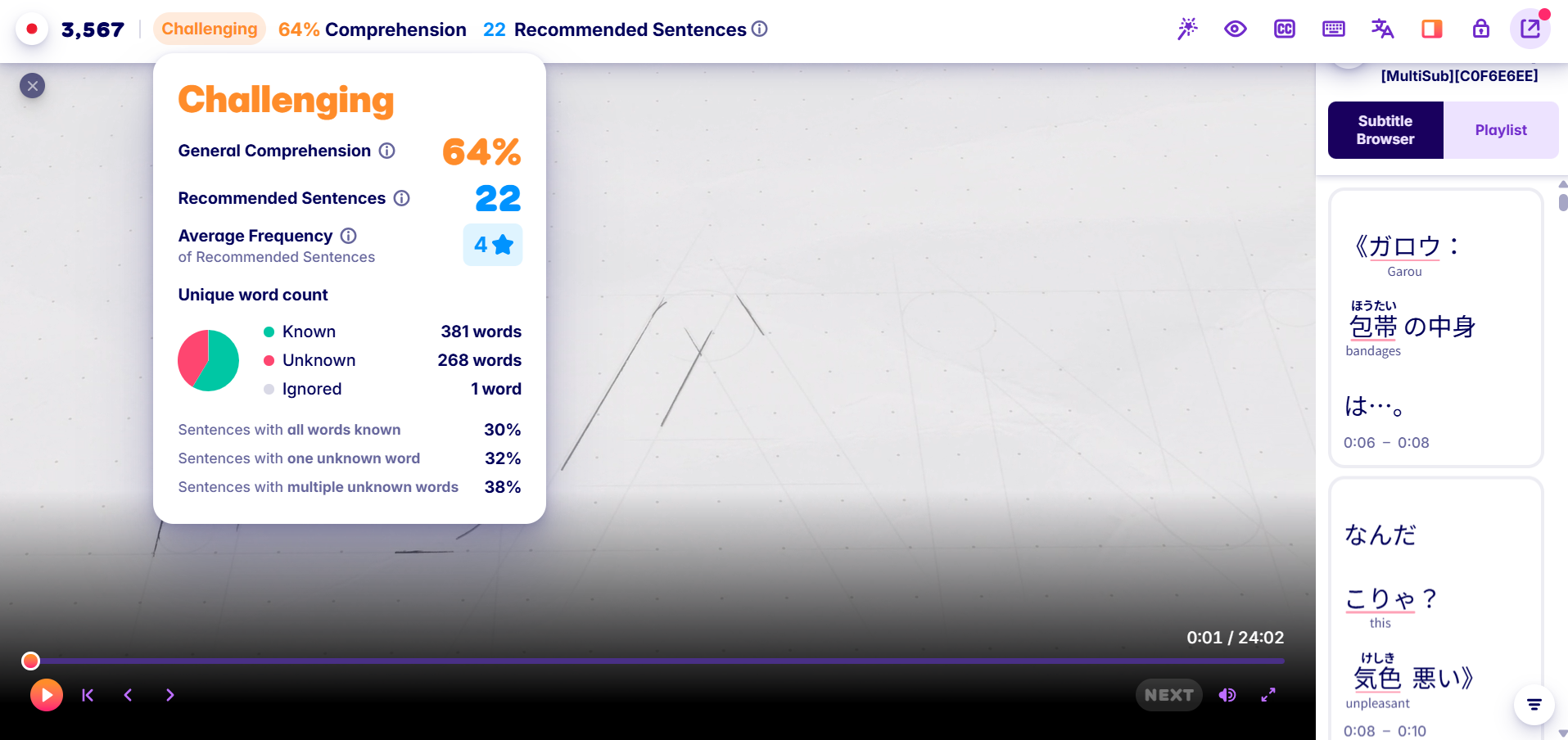
Firstly let's look at this.
Migaku shows you an estimated comprehension score for the video you want to watch. It uses the frequency of the words and your known words to calculate this.
It's not as simple as "you know these words, you don't know these" – it uses an algorithm to work out the average frequency of words you do and don't know and uses that to calculate how hard a media is.
For example if the words you don't know are very high frequency, it will be a lower difficulty than a video with a bunch of words you don't know.
If the show doesn't have subtitles, you can also generate them using the top bar.
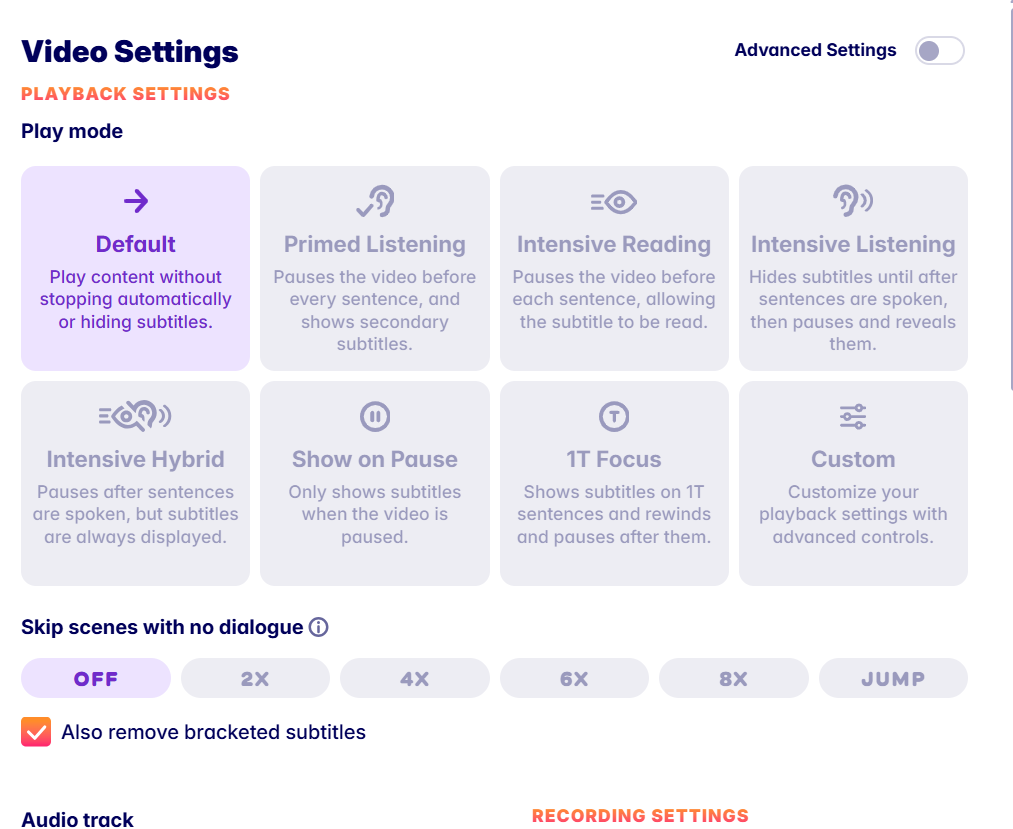
Migaku has about a million different presets for you to watch videos, or you can make your own:
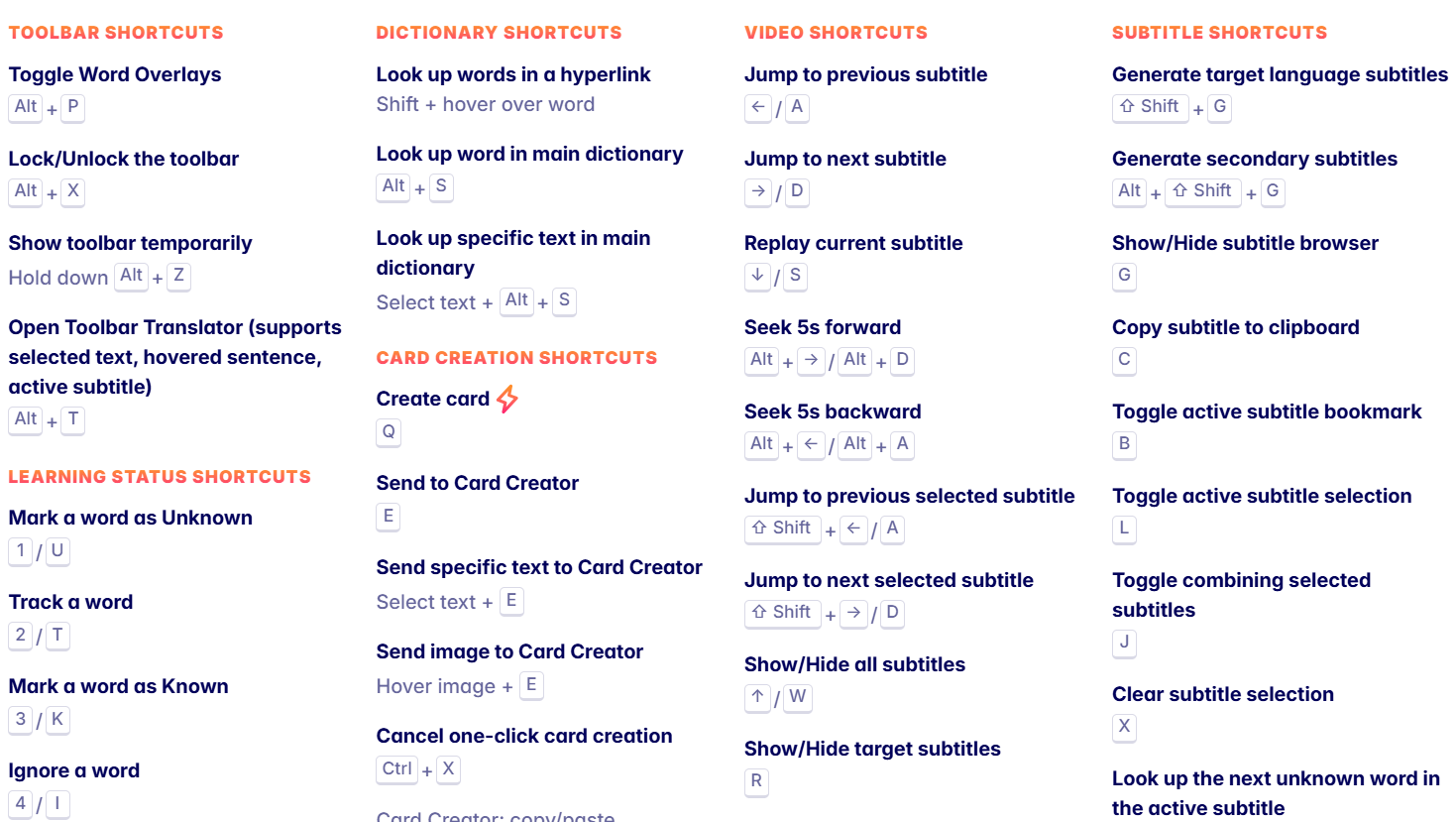
As well as keyboard shortcuts so you don't even have to use a mouse:
If the UI is too cluttered you can just hide everything apart from this tab:
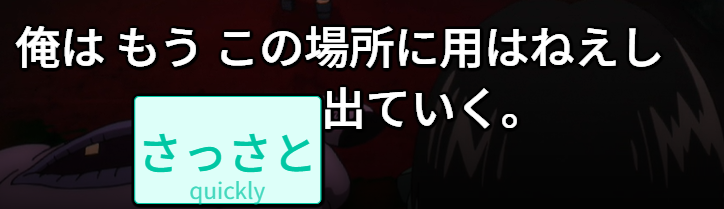
Migaku will highlight words in good sentences to mine with high frequency, and you can even tell it to include a lil single definition under the word to help you read the sentence:
Migaku works on Netflix and Disney+, but all of these screenshots use their local player. This is just a DVD I'm playing 😃
Its main downside is that it costs money, but I believe Migaku is easily the best video player out there in terms of features and ease of use.
But... It does cost money and do you really need those extra features? It's up to you.
ASB Player
ASB Player is the GOAT of free video players for Japanese.
It's offline.
It works with Netflix, YouTube etc.
It extracts subtitles from them.
You can mine from it just like Migaku.
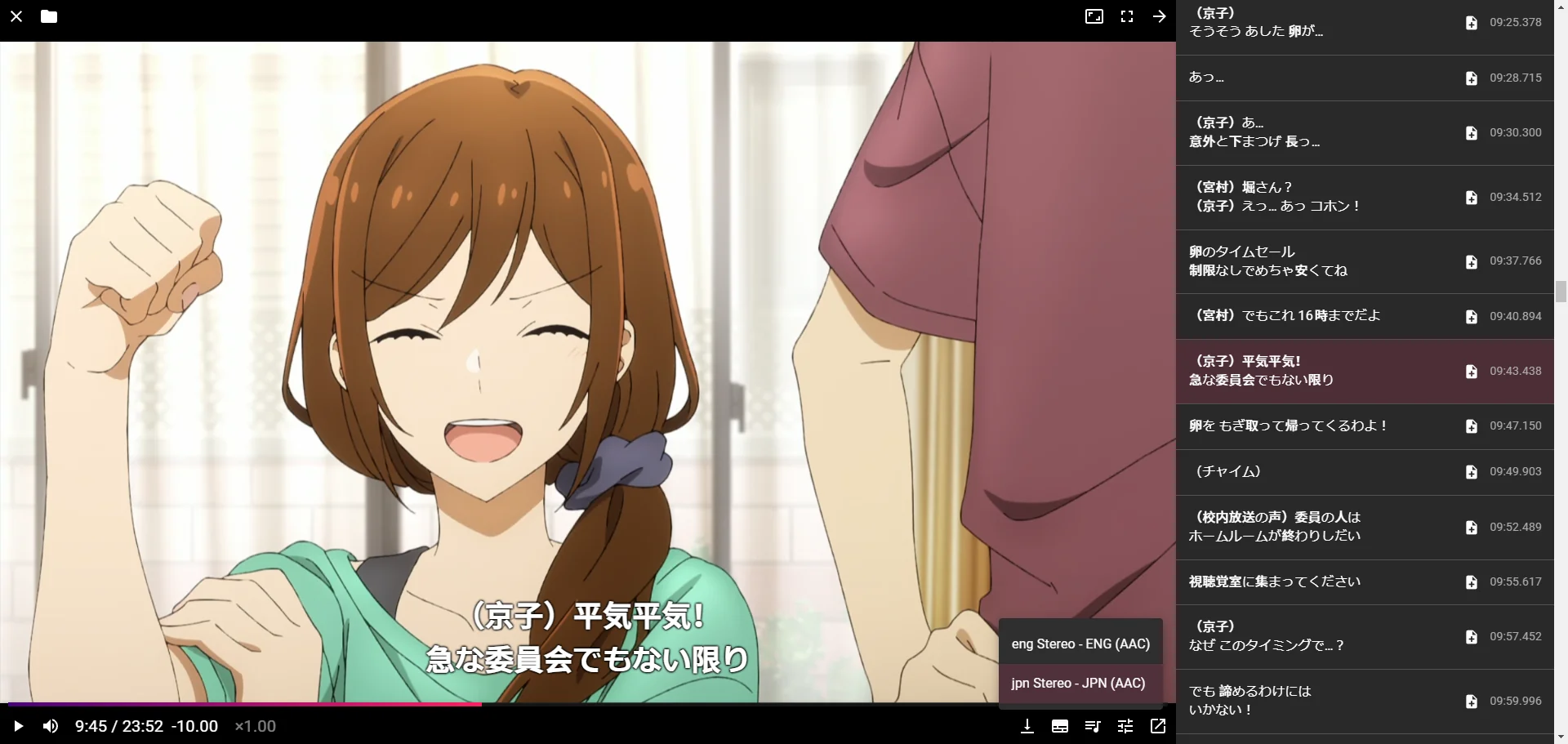
There's really not much to it. It plays videos well, has great subtitle support and lets you mine from it.
Which is why it's so good and well loved, it does one thing and does it well.
However, compared to Migaku it is missing a few features some people may want:
- Ability to generate subtitles
- Highlighting words you should mine
But if you don't care for those features, ASB Player is great.
While I haven't tried this, it sounds cool. I would love gifs of anime scenes on my Anki cards 😄
Update 2: I tried this. The ASB Player websocket is for controlling the player, not for subtitles ☹️
but you can use MPV with MPV Web Socket (which does do subtitles) to get pretty gifs
However you need to download files locally and sync the subtitles which is a bit of a pain....
Yomine
Yomine is a relatively new player in the field, and not actually a video player but something that supports video players.
 mcgrizzz
To use their words:
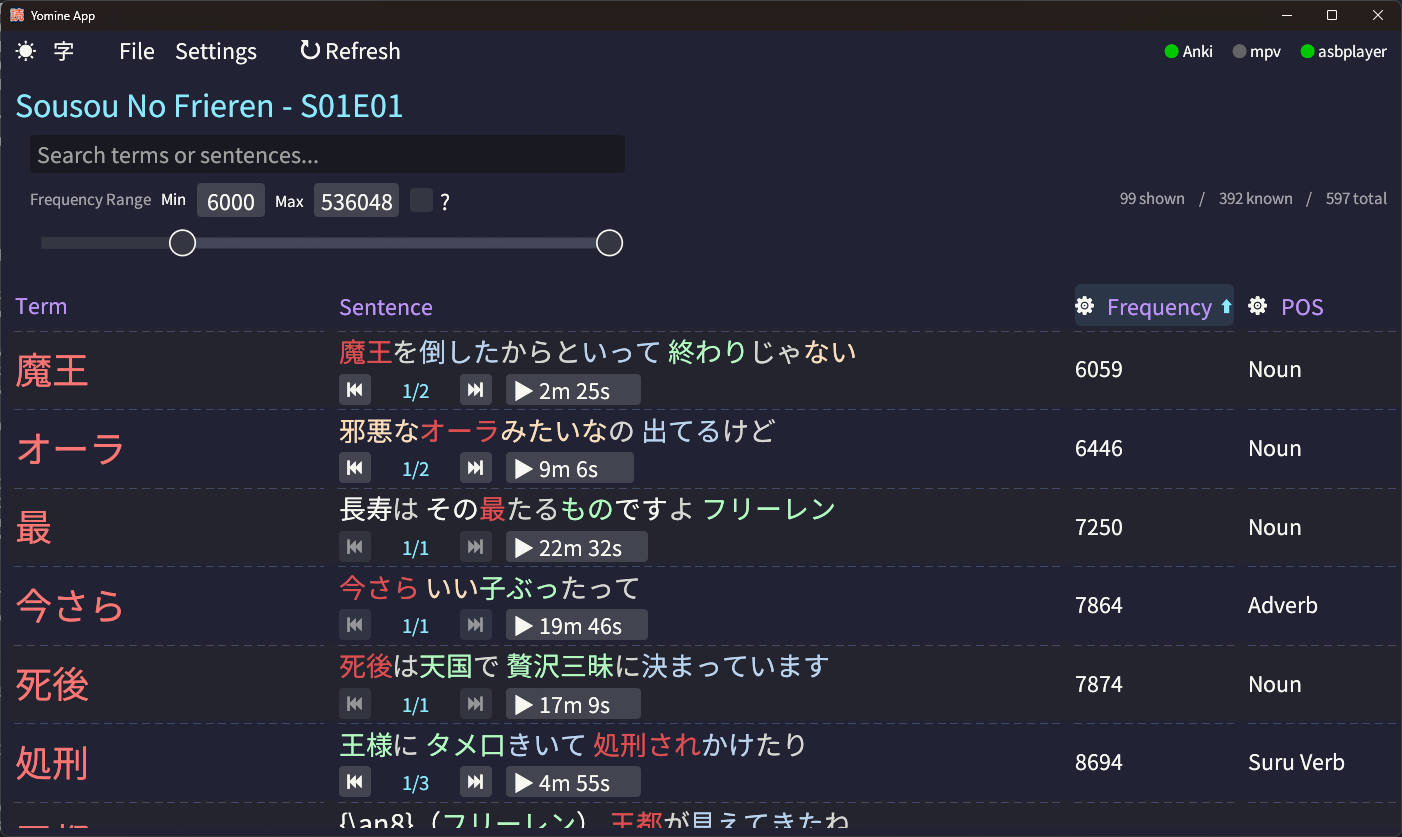
A Japanese vocabulary mining tool designed to help language learners extract and study words from subtitle files. It integrates with ASBPlayer and MPV for timestamp navigation, ranks terms by frequency, and supports Anki integration to filter out known words.
So it's kinda of like the Migaku "you should mine this word" feature, but for ASB Player and free.
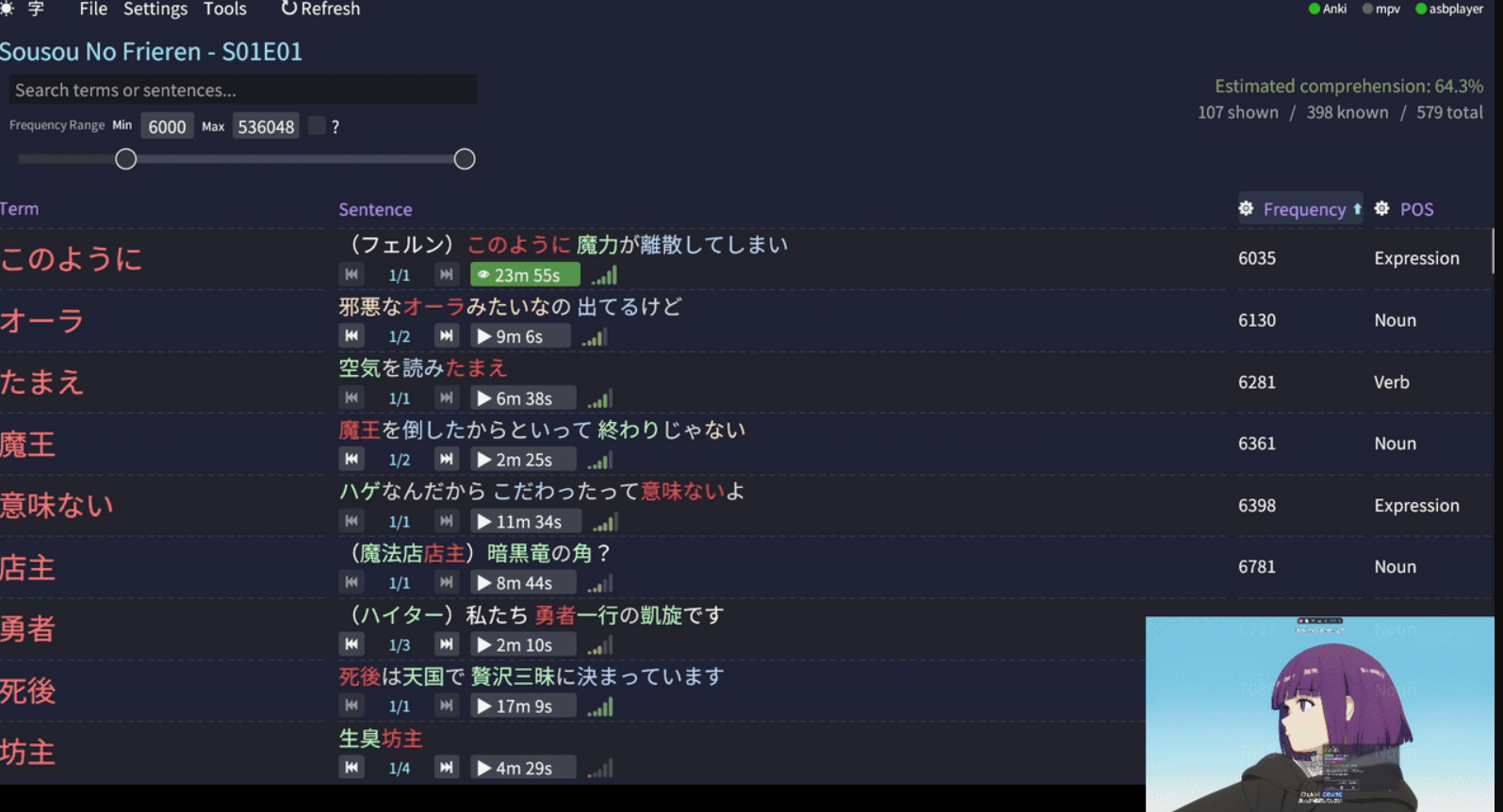
It basically extracts all the words from a video, checks to see if you have them in Anki and sorts them by a frequency.
From this you can then click a button to mine that word.
Here are some interesting ways people use it, which may not be obvious:
- If you saw a word you want to mine, but you were too busy to mine it you can use Yomine to search your favourite anime etc to find the word and mine it later on.
- If you want to play a video game or visual novel, you could download a Let's Play of it and generate a comprehension score or pre-mine words you need to know.
- This is different than downloading Anki decks from Jiten and friends, because it's specifically words you need to know.
- Also you get to watch a Let's Play which is like double immersion points 😯
- Using GSM to generate a Long Play (basically a large
mp4recording of a game you're playing with a subtitles file), loading it into Yomine and mining all the words you didn't mine during that playthrough. Useful if you want to play now, mine later.
Best Websites
Now let's look at some of the best websites out there.
🏆Jiten

Jiten is a website that stores thousands of Japanese media and tells you a rough difficulty for them, among other things.
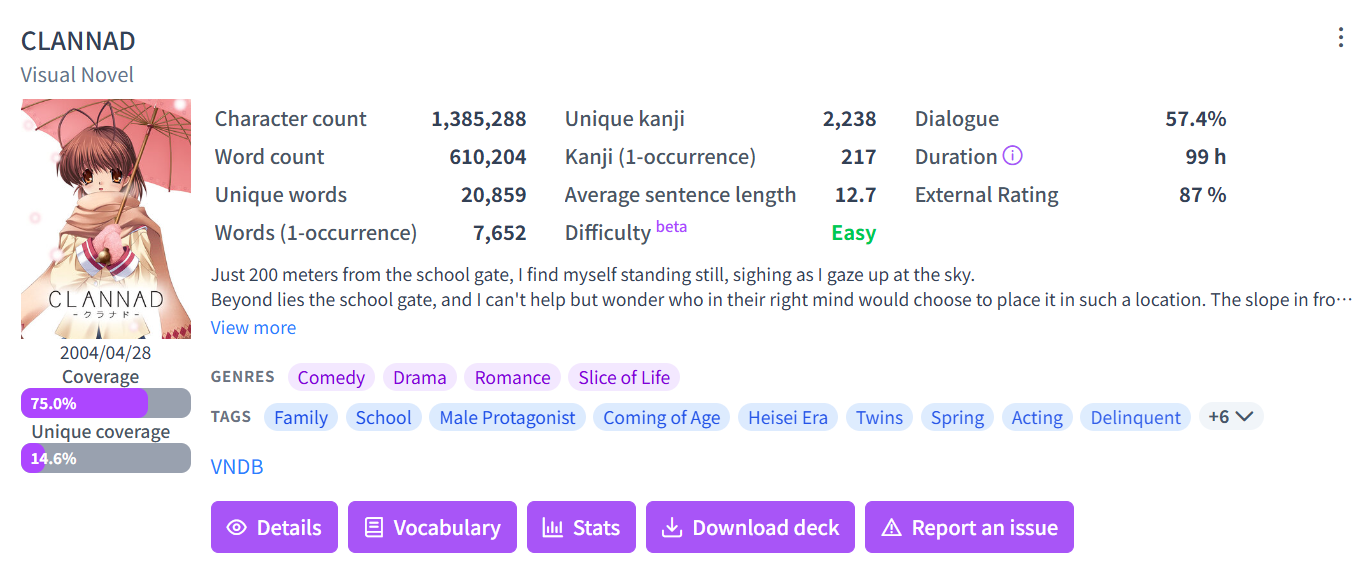
They support all sorts of media, not just visual novels or anime.

In Jiten you can upload a list of vocaburary you know (syncs with Anki and other tools):
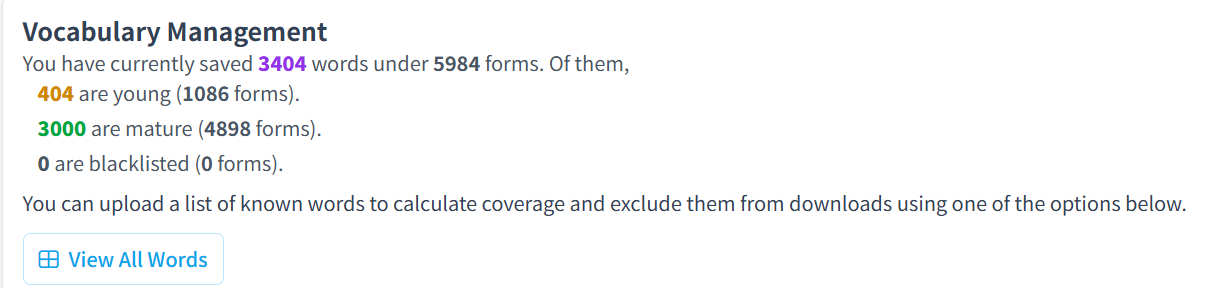
Jiten can then rank how many words in the media you know, and tell you a personalised coverage score.
Something I like to do is find visual novels with >80% external rating (external rating == reviews on vndb, anilist etc) which I have >80% coverage for (meaning I will understand most of it).
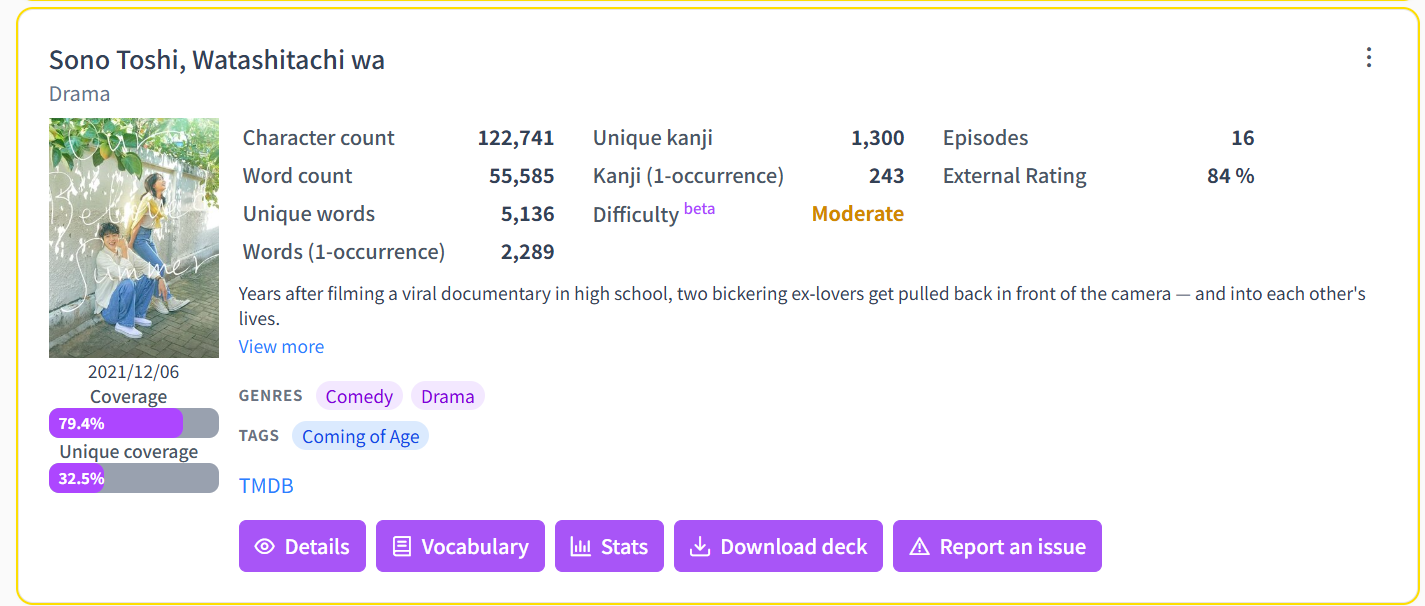
Once you've found a piece of media you like hit "statistics" and see a cool graph.
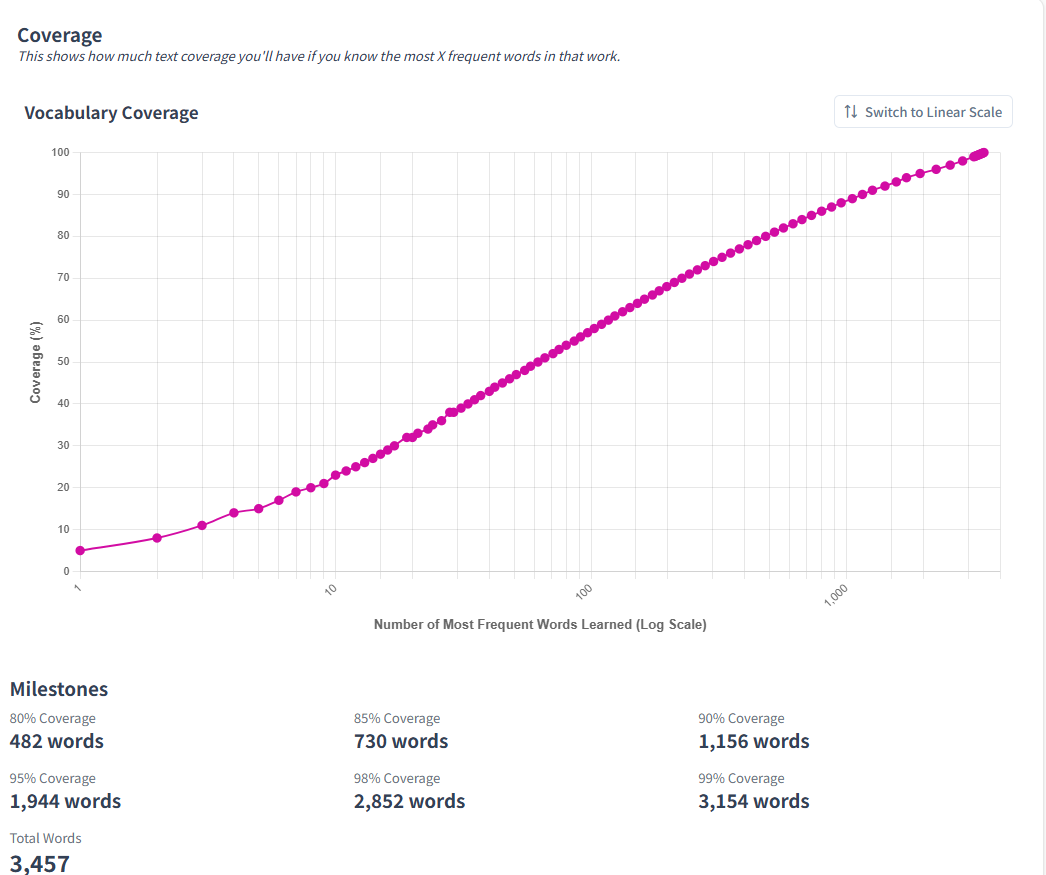
For example, in this anime to understand 95% of it you just need to know the most frequency 1944 words that appear in it.
To understand 99%, you need to know an extra 3200ish.
Learning 1944 of the words in this anime seems great, but how do we actually learn them?
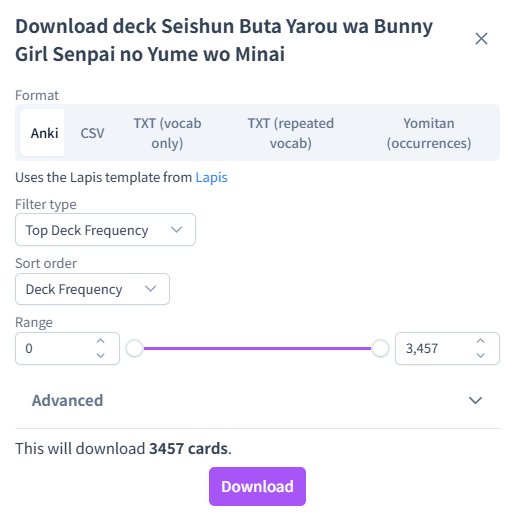
No worries, Jiten lets you download Anki decks with the exact freq order of that show. Learn the words you need to know for the media you want to watch.
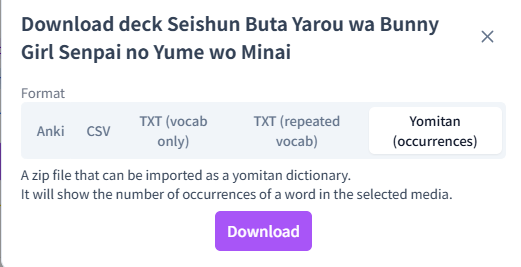
If doing premade Anki decks isn't your thing, download the "occurrences" dictionary to get a frequency list you can use in Yomitan to tell you how often a word appears in the show.
That way I can mine high frequent words in shows I want to watch, without watching them yet. Almost like I'm prepping for it.
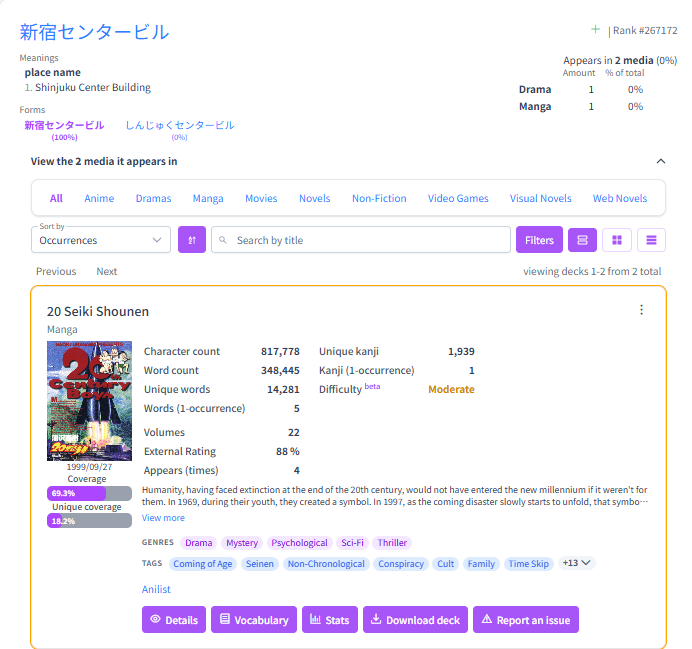
Jiten also has a dictionary you can use. Search a word to see its frequency, and all the media that word is in:
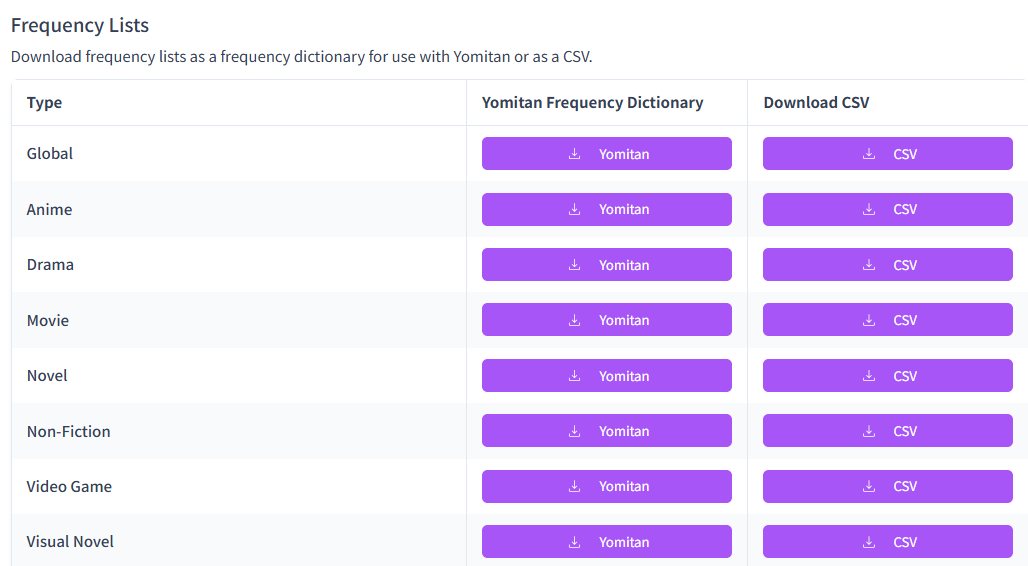
Speaking of dictionaries, you can download global frequency lists on Jiten too:
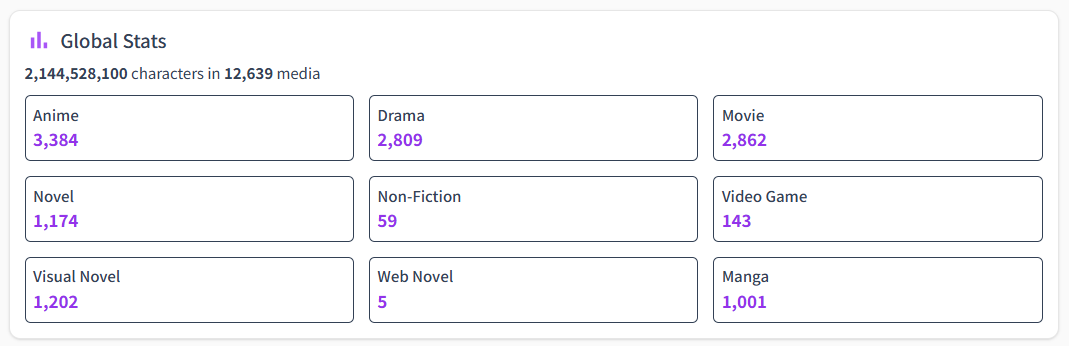
And finally, Jiten has a lot of data and every single week it is improving.
Yokubi - Morg Grammar Guide


If you have spent any amount of time in Japanese spaces online you may have heard of "Morg". Especially on Discord or Reddit.
He's a really nice guy who knows a lot about grammar and wants to help you learn Japanese.
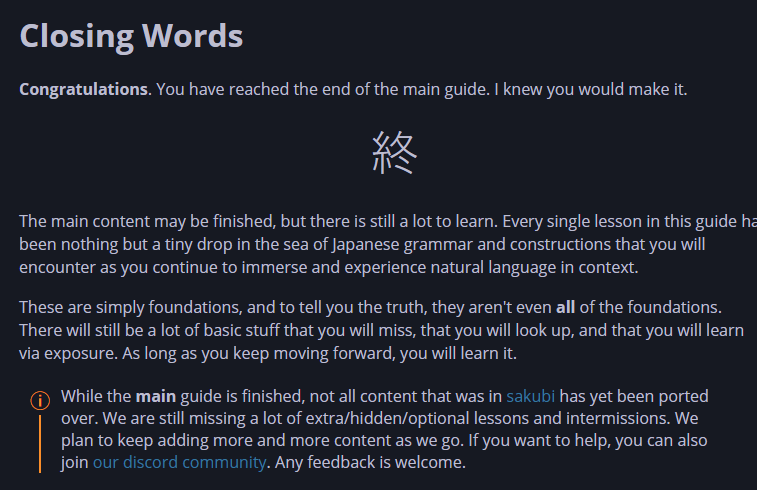
This year he took it upon himself to improve the Sakubi grammar guide, and ended up writing Yokubi.
It's a really succinct grammar guide designed to get you immersing ASAP.
Best for books
🏆LumieReader
 Lumi Reader Team
Lumie Reader came out hitting this year with a single premise:
What if we made ttsu but good?


Another reading app for Japanese
It's entirely offline, very fast and supports a lot of features.
It has some features over other readers like:
- Bookmarks
- Extensive statistics for reading
- Cloud sync (this is the biggest one)
- Social features, like sharing what you are reading
You can tell I don't read books can't ya...
Conclusion
This year has been amazing for Japanese learning tools.
If you want to give back to the community but don't want to code, many of these devs have donation links listed.
What's your favourite tool? Tell me in the comments :) <3